Flatnotes
A web interface for a folder of Markdown files - Flatnotes is exactly that, and the discipline of that design is why people love it. Every note is a plain .md file in a single flat directory: no database, no proprietary format, no hierarchy to maintain, no export step if you ever leave. Edit notes in the browser or open the same files in VS Code or Obsidian, sync them with Syncthing or rsync while the app is running - the Whoosh-powered search index synchronizes incrementally, so external edits just show up. The interface is a clean Vue.js app with both WYSIWYG and raw Markdown editing modes (TOAST UI Editor), instant full-text search behind the "/" shortcut with partial-match support, wikilinks for cross-note references, and automatic tag extraction from #hashtags in note bodies. Light and dark themes and a mobile-responsive layout make it pleasant everywhere. Authentication is flexible for a personal tool: none, read-only, username/password, or TOTP two-factor. A documented REST API covers create/read/update/delete for automation. The operational story is the quiet selling point - the only state is the notes folder and a rebuildable index, so backup is copying a directory. For a personal notepad that respects your data, Flatnotes nails minimal.
Octobox
What Gmail did for email, Octobox does for GitHub notifications: an ephemeral, unmanageable stream becomes an inbox you can actually triage. GitHub marks notifications read the moment you glance at them and lets old ones vanish days later; heavy maintainers end up building elaborate Gmail filter systems just to cope. Octobox - a Ruby on Rails app over PostgreSQL - syncs your notifications into a persistent inbox with an explicit archived state: mark a thread done, and if the issue or PR sees new activity, it pops back automatically, so nothing silently falls through. Triage is keyboard-driven with Gmail-style shortcuts (j/k to navigate, e to archive, m to mute, s to star), and multi-select clears noisy repositories in bulk. Filtering is where it earns its keep: slice by repository, organization, type, action, state, reason, CI status, labels, author, assignee, or bot origin, combine prefix search filters, and pin favorite searches to the sidebar. The optional GitHub App enriches entries with live PR/CI status and labels so you can decide without clicking through. Auto-archive rules clear merged PRs and closed issues; muting and snoozing silence the rest. A REST API supports integrations. Self-hosting keeps your notification metadata - a map of everything you work on - on your own server.
Usermemos
Memos, the lightweight open-source note service from the usememos project, packaged as a containerized deployment for multi-architecture Docker hosts (x86-64 and arm64): that is Usermemos. The model is frictionless capture: no folders or titles, just a chronological stream of Markdown notes with code blocks, task lists, tables, and file attachments, organized by #hashtags pulled automatically from the text. Per-memo visibility - private, protected for logged-in users, or public - lets a single instance serve as a personal journal, a shared team log, or a public microblog simultaneously. Multi-user support with authentication makes it workable for small teams, and full REST and gRPC APIs open capture and retrieval to CLIs, bots, and automation tools. The runtime is a single Go binary with a React frontend that idles around 50 MB of memory and stores content as plain Markdown in SQLite by default, with MySQL and PostgreSQL available for heavier deployments. Configuration happens through environment variables, access works over HTTP or HTTPS behind a reverse proxy, and there is no telemetry - notes stay on your server in a portable format.
Dashy
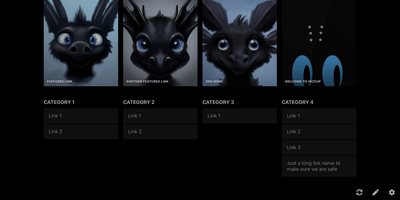
Every service you run, behind one polished start page: Dashy is the most customizable homelab dashboard, built as a Vue.js homepage. Configuration lives in a single YAML file, but you never have to hand-edit it: an integrated UI editor with real-time validation writes changes back to disk, so both config-as-code and point-and-click camps are served. Status indicators put a live health dot next to every app - HTTP checks or pings on custom intervals, with response time and status details on hover - giving you an at-a-glance uptime overview before anything breaks. Over 50 built-in widgets pull dynamic content from the services you already run: Pi-hole and AdGuard block stats, Proxmox lists, Nextcloud status, Netdata CPU/memory history, Prometheus data, plus weather, RSS, crypto prices, and generic iframe/API-response widgets for anything with an endpoint. Instant fuzzy search launches any app as you type, with customizable hotkeys and web-search fallthrough. Theming is deep: dozens of built-in themes, a UI color palette editor, and custom CSS over CSS variables. Alternate views include a fast-loading minimal startpage and a workspace view that embeds apps side-by-side without leaving the dashboard. Icons resolve from Font Awesome, homelab icon packs, emojis, or auto-fetched favicons. Built-in authentication, multi-page support, cloud backup/sync, and multi-language round out an MIT project with a massive community.
Bookstack
Most wikis die of flat page-and-tag sprawl; BookStack's defining decision is enforced structure - an MIT-licensed PHP/Laravel platform (over MySQL) where content lives in a hierarchy of shelves, books, chapters, and pages, the way a physical library works. A shelf maps to a department, a book to "Engineering Runbooks," a chapter to "Database Procedures," a page to the actual document. That opinionation removes the "where does this go?" friction and keeps knowledge bases tidy as they grow. Editing works both ways: a clean WYSIWYG editor for most users, a Markdown editor with live preview for those who prefer it - switchable per page. Full-text search spans all books or scopes to one, with direct links to individual paragraphs, and include tags let you embed one page's content inside another so shared blocks update everywhere at once. Every edit creates a diffable, revertible revision. Page templates standardize recurring formats, tags add cross-cutting categorization, and built-in diagrams.net integration draws architecture diagrams in place. Authentication covers email/password plus OIDC, SAML2, LDAP, and social login; a full role and permission system locks content down per shelf, book, or page. Pages and books export to PDF, HTML, plain text, and Markdown, a REST API automates content, and the whole thing runs happily on the cheapest VPS you can find.
Omni Tools
The ad-riddled "free online tools" sites people paste sensitive text into and upload confidential PDFs to - OmniTools replaces that whole ecosystem with one self-hosted app. It bundles 50+ utilities behind one clean React/TypeScript interface: image tools (resize, convert, crop, edit), video and audio tools (trim, reverse, convert), PDF tools (split, merge, edit), text and list utilities (case converters, formatters, shufflers), plus date/time, math, and data-format helpers for JSON, CSV, and XML. The architectural decision that makes it trustworthy is that all file processing happens entirely client-side in the browser - the server only serves static assets, and nothing you process ever leaves your device. That design has a pleasant side effect: the host needs almost no resources (people run it on a Raspberry Pi Zero), because your browser does the work while the server just delivers files. The Docker image is a remarkable 28 MB, making it one of the fastest apps to deploy and cheapest to keep running. There are no ads, no tracking, no accounts, and no upload limits. With multi-language support and an MIT license, it works equally well as a personal toolbox or a team-wide internal utility portal - one URL that replaces a bookmark folder full of questionable converters. Actively developed with 50 contributors and 9,500+ GitHub stars.
Focalboard
From the Mattermost team comes Focalboard, an open-source, MIT-licensed project board tool - a self-hosted alternative to Trello, Asana, and Notion databases, written in Go with a React frontend. Every board renders the same card data four ways: Kanban with drag-and-drop columns, a spreadsheet-style table, an image-forward gallery, and a calendar. Cards carry unlimited custom properties - dates, dropdowns, checkboxes, people, URLs - and boards can be grouped, filtered, and sorted by any property combination, with unlimited saved filtered views for quick access. Built-in templates cover the common workflows (meeting agendas, content calendars, project tasks, roadmaps, sprint planning), or you can build fully custom boards from scratch. Collaboration is real: card comments with @mentions, per-board permissions for teams or individuals, file attachments stored on your own infrastructure, and archiving with backup snapshots. Migration tooling imports existing boards from Trello (JSON export), Asana, and Notion, so switching does not mean starting over. It ships in 20+ languages and runs as a lightweight multi-user personal server. Worth knowing before deploying: Mattermost has shifted primary development to the integrated Mattermost Boards plugin, so the standalone edition is community-maintained - stable and functional, but evolving slowly. For teams wanting a free, private Trello without per-user fees, it remains a solid pick.
BeaverHabits
No targets, no gamification spiral, no motivational nagging: Beaver Habit Tracker is a self-hosted habit tracker deliberately built without "Goals". The core loop is honest: add habits, check them off each day, watch streaks accumulate on a calendar view. Its design follows behavioral-science basics - make it obvious (visual streak cues), make it attractive (progress is the motivator), make it satisfying (tracking becomes its own reward). Beyond the daily checklist it supports per-day notes intelligently grouped per habit, periodic habits, habit categories and tags, drag-to-reorder (manual or automatic), dark mode, and detailed streak and frequency views. Data lives where you choose: a single SQLite database or flat JSON files on a mounted volume, with JSON export and import for full portability. A REST API opens automation - community integrations already cover Stream Deck buttons, Home Assistant triggers, and CalDAV. The Python app ships as one Docker container with no external dependencies; environment variables tune everything from first day of week and index-page columns to iOS standalone PWA mode, and single-user setups can bypass the login entirely with TRUSTED_LOCAL_EMAIL. BSD-3-Clause licensed with no commercial restrictions - a well-executed single-purpose tool whose mobile PWA works anywhere a browser does.
Roundcube
Two decades of continuous development made Roundcube the standard-bearer of open-source webmail - a PHP IMAP client that gives any mail server a polished, application-like interface in the browser. It connects to whatever IMAP/SMTP stack you run - Dovecot, Postfix, a hosted mailbox - and delivers the full desktop-client experience: drag-and-drop message management, threaded conversation views, full MIME and HTML mail handling, find-as-you-type address book with groups and LDAP connectors, multiple sender identities, full-text search, and spell checking in dozens of languages. The default Elastic skin is genuinely responsive, working as well on a phone as a desktop, and the entire UI is skinnable. The plugin API is where deployments get shaped: managesieve exposes server-side filter management in the UI, enigma brings PGP encryption and signing via GnuPG, markasjunk trains spam filters, zipdownload batches attachments, password lets users change credentials, and attachment_reminder catches the classic forgotten-attachment email - among hundreds of community plugins. Built-in caching keeps large mailboxes fast, IMAP ACLs and shared folders support team setups, and XSS protection is engineered into the rendering pipeline. It scales from a single personal mailbox to unlimited users, backed by MySQL, MariaDB, PostgreSQL, or SQLite. GPL-licensed with regular security releases.
Wally
Started as an ExpenseOwl-inspired project, Wally grew into a lightweight, self-hosted expense tracker more capable in every direction its author touched. The backend is Python FastAPI over SQLite, which means every deployment ships a full REST API with interactive documentation at /api/docs - automating imports or wiring in external tools requires no reverse engineering, and when the optional login page is enabled you can mint scoped API keys from the Settings page for token-based integrations. The transactions view is built on AG Grid, bringing real search, column sorting, and per-column filtering to your ledger, with a footer totaling rows, income, and expenses for whatever slice you have filtered. Dashboards go beyond the usual monthly doughnut: a Change button swaps in year-scale line graphs so you can track a single category - restaurants, say - across time. Recurring transactions edit intelligently, letting you apply changes to all instances or only future ones. CSV import and export use a simple six-column format handled from Settings, the refined dark theme is genuinely easy on the eyes, and the interface is translated into more than ten languages. The whole thing runs from one small container with a single data volume.
linkding
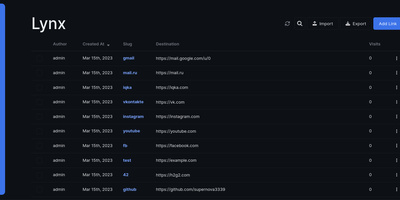
For people who found del.icio.us perfect and everything since bloated, linkding is the bookmark manager - a Django application whose entire design goal is saving and finding links with zero friction. Paste a URL and it fetches the title, description, favicon, and preview image automatically; organize with tags, search full-text across everything, mark bookmarks unread for read-it-later, attach Markdown notes, and bulk-edit whole selections at once. Its answer to link rot is archiving: bookmarked pages can be snapshotted automatically, either submitted to the Internet Archive or saved as local HTML files, and a documented SingleFile browser-extension integration uploads full self-contained page captures straight to your instance. Official Firefox and Chrome extensions (plus a bookmarklet) make saving a one-click habit, the UI installs as a Progressive Web App on mobile, and multi-user support with bookmark sharing - to users or logged-out guests - covers families and teams, with SSO via OIDC when needed. The REST API (create, search, filter by tag) has spawned a genuine ecosystem of community mobile apps and libraries. Operationally it is famously boring in the best way: one small container, SQLite by default, automated migrations, and a zero-breaking-changes policy. Import and export use standard Netscape HTML. MIT-licensed.
Etherpad
In continuous open-source development since 2009, Etherpad is the original really-real-time collaborative editor - used by Wikimedia, governments, EU public-sector institutions, and tens of thousands of self-hosters. Its core idea is visible authorship: every keystroke is attributed with author colors, every revision preserved, and the timeslider lets you scrub through a document's entire history character by character. Multiple people type into the same pad and see each other's changes instantly - it scales to thousands of simultaneous editors per pad. The base install is deliberately lightweight; capability comes from roughly 290 plugins installable from the admin web UI: comments, images, tables, drawing, video chat via WebRTC, math rendering, code highlighting, and authentication via OAuth, LDAP, or OpenID. AI is pointedly a plugin, not a default - you choose the model and infrastructure, or never turn it on. There is no telemetry. For integrators, an HTTP API (with OpenAPI definitions at /api/openapi.json) manages pads, users, and groups for embedding in your own applications, and the ueberDB abstraction layer supports PostgreSQL, MySQL, Redis, MongoDB, and SQLite backends. Full data export is built in, the format is open, it is translated into 105 languages, and it runs on anything from a Raspberry Pi to a server farm. Apache 2.0 licensed, Node.js based.
EasyAppointments
Service businesses get a booking page without per-booking commissions or monthly SaaS fees from Easy!Appointments, the self-hosted appointment scheduler. Customers pick a service, provider, and open time slot from a clean web form; the system enforces working plans, breaks, and booking rules you define per provider, then confirms by email to both sides. The structure fits real service organizations: multiple providers with individual schedules, multiple service types with their own durations and prices, and admin/secretary roles for front-desk management. Two-way Google Calendar synchronization keeps each provider's external calendar authoritative - book in Easy!Appointments and it appears in Google Calendar, block time in Google and the slot disappears from the booking form. Version 1.6 adds SMS notifications and payment support, and a REST API opens the scheduling data to custom integrations. Built on PHP (CodeIgniter) with MySQL, it installs in a single folder and can share a database with your existing site; a WordPress plugin embeds the booking form directly in pages or posts. The interface ships in dozens of languages with time-zone handling throughout. GPL-3.0 licensed and free for commercial use - a helpdesk, clinic, salon, or consultancy runs its whole booking workflow on its own server.
Shaarli
Personal, minimalist, database-free bookmarking - Shaarli is a philosophy as much as an app. Everything lives in a single compressed datastore file inside data/: no MySQL, no PostgreSQL, backup by copying one directory. That write-once/read-many file is usually served straight from OS disk caches, which is why a decade-old Shaarli instance with tens of thousands of links still responds instantly. Designed deliberately single-user, it saves URL, title, unlimited-length description, and tags (with autocomplete, renaming, and merging), marks entries public or private, and automatically strips utm_source and fb tracking parameters from saved URLs. That description field is why the community uses Shaarli as far more than bookmarks: a microblog, read-it-later queue, code-snippet base, pastebin, and shared clipboard between machines. Sharing is one click via bookmarklet or Android apps; consumption is per-tag RSS/Atom feeds plus a daily digest feed; search is full-text with tag filtering. A REST API opens it to any client, a plugin and theme system extends the PHP core (Markdown rendering, thumbnails), and import/export uses browser-standard Netscape HTML - your data enters and leaves freely. LDAP login is supported, no telemetry is sent anywhere, and the UI degrades gracefully without JavaScript. The anti-cloud Delicious.
Collabora Office
Real LibreOffice document engineering in the browser: Collabora Online is built by the company employing much of the former SUSE LibreOffice team - not a reimplementation. This deployment runs CODE (Collabora Online Development Edition), the collabora/code server that renders and edits documents entirely server-side while browsers get high-fidelity WYSIWYG output, so layout and formatting survive round-trips that break lesser converters. Four editors ship in one container: Writer for text documents (comments, track changes with comparison and restoration, form handling), Calc for spreadsheets (advanced formulas, macros, pivot tables, per-user sheet views, server-enforced cell protection), Impress for presentations, and Draw for Visio-class diagrams. Format compatibility spans DOCX, XLSX, PPTX, the ODF family, PDF, and dozens more - including Visio and Publisher import. Real-time collaborative editing supports multiple simultaneous editors with visible cursors and commenting. The architectural point: documents are processed on your server and never leave it, which is why Collabora is the engine behind Nextcloud Office and integrates with ownCloud, Seafile, and any WOPI-speaking host - or embeds in your own application via the SDK. An admin console monitors sessions and memory. For organizations that need Google Docs-style collaboration with actual data sovereignty, this is the reference open-source answer.
Keeper
Work, personal, business, and school calendars at different providers double-book because no one system sees your real availability - Keeper solves that multi-calendar collision problem. Its pull-compare-push sync engine aggregates events from Google Calendar, Outlook/Office 365, iCloud, FastMail, any CalDAV server, or read-only iCal/ICS feeds, and pushes blocking events to one or many destination calendars so time slots align everywhere. The design is deliberately content-agnostic - it syncs timeslots, not titles or descriptions, so a personal appointment shows as busy time on your work calendar without leaking details. Sync logic is clean: events Keeper creates carry a traceable UID suffix, deletions propagate, and orphaned entries are purged automatically. A token-authenticated aggregated iCal feed combines selected calendars into one subscribable URL for Apple Calendar or Thunderbird. An optional MCP server gives AI agents read-only calendar access over OAuth 2.1 - list calendars and query events by date range, with no write capability. Built with Next.js and Bun under AGPL-3.0, the standalone Docker image bundles web, API, cron, worker, Redis, and PostgreSQL in one container, and self-hosting unlocks every Pro feature - unlimited calendars and one-minute sync intervals - for free.
Trilium Notes
For people whose notes number in the tens of thousands, Trilium Notes is the hierarchical note-taking application built specifically for large personal knowledge bases - actively maintained as TriliumNext. Notes arrange into arbitrarily deep trees where every note is both content and container, and cloning lets a single note live in multiple places at once - bash notes belong under both Linux and Scripting, and Trilium refuses to make you choose. A WYSIWYG editor handles rich text, tables, math, and syntax-highlighted code blocks with Markdown-style shortcuts, while dedicated note types cover Excalidraw sketches, mind maps, geo maps with GPX tracks, relation maps that visualize connections between notes, and tables with typed columns. The attribute system is the power layer: labels attach queryable metadata (#year=1999, #author), relations create named links between notes, and both inherit down the tree - feeding full-text search, saved queries, and scripting. Scripting is Trilium's deepest differentiator: JavaScript code notes run on events like note changes or hourly schedules, build custom widgets, and add server-side logic, turning the knowledge base into a programmable platform. Protected notes encrypt sensitive content, note hoisting focuses on subtrees, and the self-hosted server syncs desktop clients across devices.
Tiddlywiki
The entire wiki - content, code, and interface - is built from "tiddlers," small addressable units of information that link, transclude, tag, and filter into each other: TiddlyWiki is a non-linear personal notebook with a design philosophy unlike anything else in this catalog. Instead of pages in a hierarchy, you compose views by pulling tiddlers together on demand, which is why researchers, zettelkasten practitioners, and GTD devotees have sworn by it for two decades. The whole application is JavaScript, and the UI itself is written in hackable WikiText - customization goes as deep as rewriting the interface from inside the wiki. Self-hosting runs the Node.js version, which upgrades the classic single-HTML-file architecture in the ways that matter for a server: every tiddler is stored as an individual text file (Git-friendly, organizable), edits save through the HTTP API from any modern browser including phones, and one installation can serve multiple wikis blending shared and unique content. The plugin ecosystem covers graph visualizations, themes, languages, and hundreds of community extensions, declared per-wiki in a simple tiddlywiki.info file; the newer MultiWikiServer plugin adds multi-user accounts and tiddler sharing. Your notes stay usable for decades, independent of any corporation - the project's founding promise. BSD-licensed.