Docker Registry UI
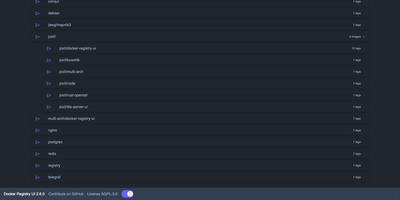
Instead of querying a private registry with curl and its HTTP API, open Docker Registry UI and click through repositories, tags, digests, and layers in a browser. The catalog groups images by namespace, shows tag counts, and filters as you type in the search bar, which Ctrl+F or F3 focuses. Each repository's tag list shows creation date, size, content digest, and CPU architecture, sorts numerically, and copies a ready-made pull reference with one click. A history page expands any tag into its operating system, entrypoint, environment variables, exposed ports, and layer-by-layer build steps, and a Dockerfile view reconstructs the file from those steps. The same view also covers multi-architecture images and OCI Helm exports. When the registry allows deletion, tags go one at a time or in bulk with checkboxes, Alt+Click for a whole page, and Shift+Click for a range. One interface can switch between several registries from its menu, or be locked to a single registry with your own title. Basic authentication passes through the browser, and a built-in proxy option forwards requests to your registry container so CORS needs no configuration. Light, dark, and automatic themes come with color variables for custom branding, and a weekly notice announces newer releases. Running on a dedicated VPS on RepoCloud with guaranteed CPU, RAM, and SSD, full root SSH access, and a browser serial console. AGPL-3.0 licensed.
Deploy