Stars
Forks
Watchers
Developer links
Home Assistant
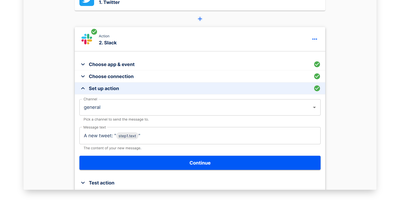
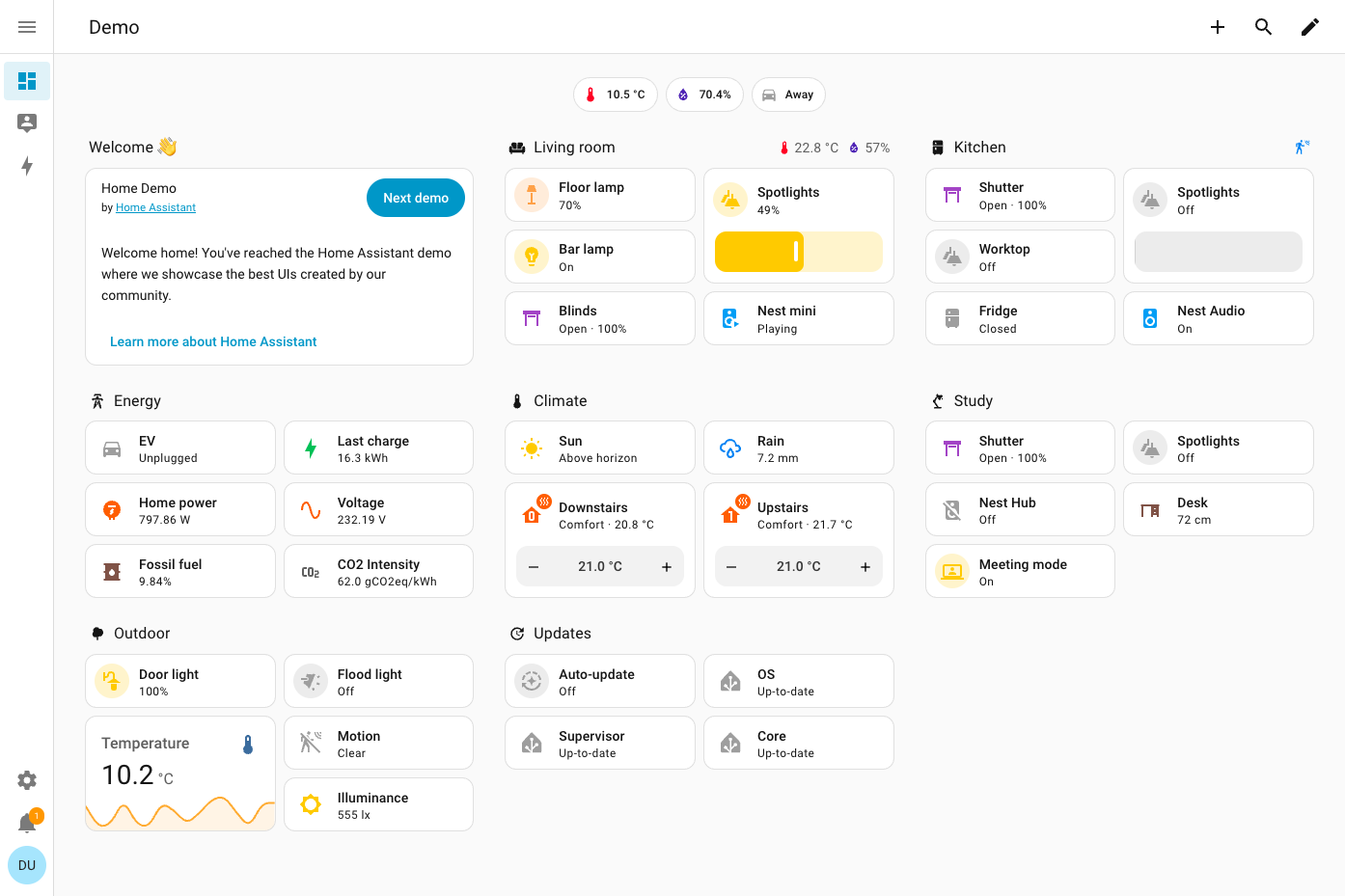
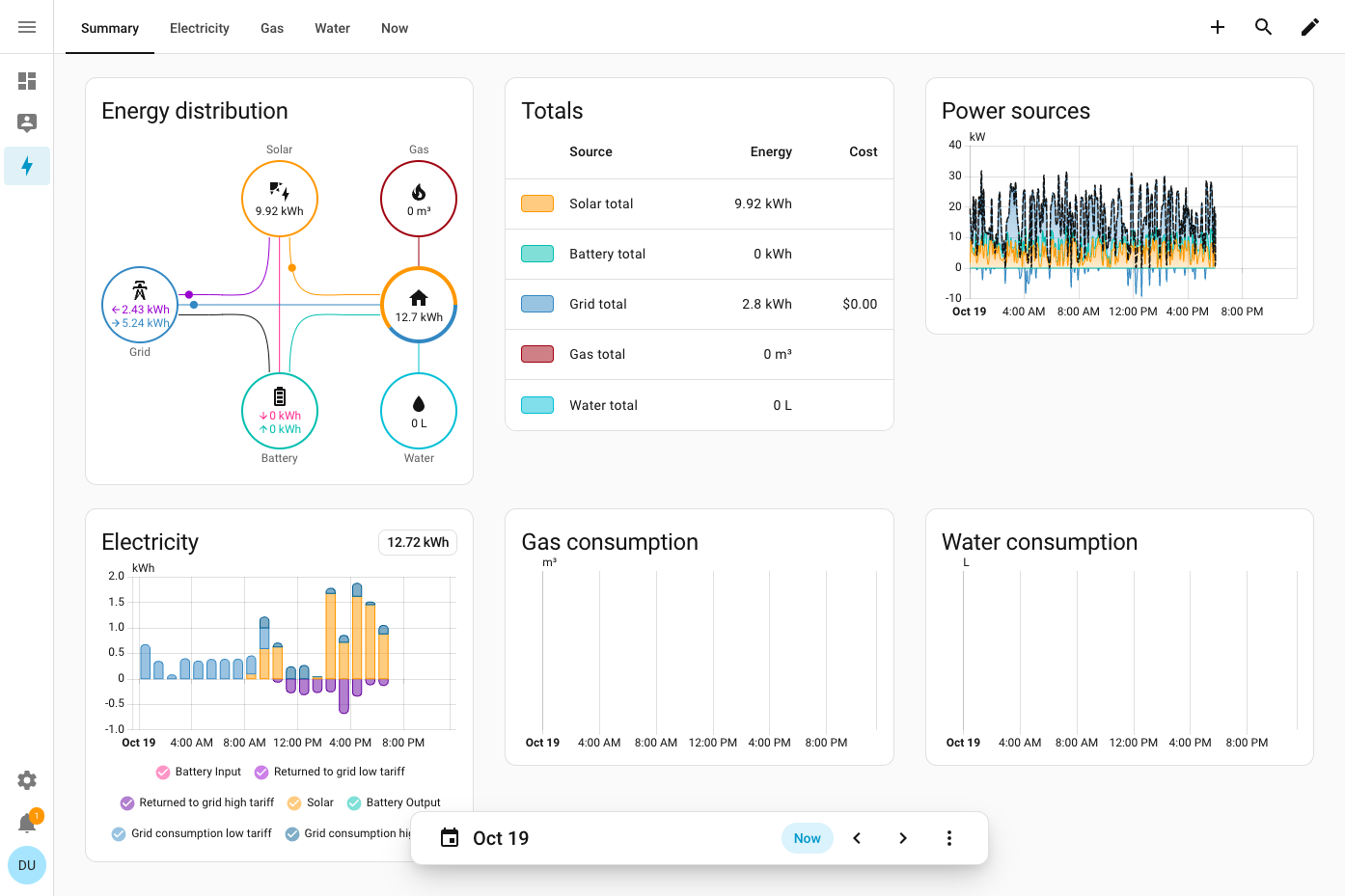
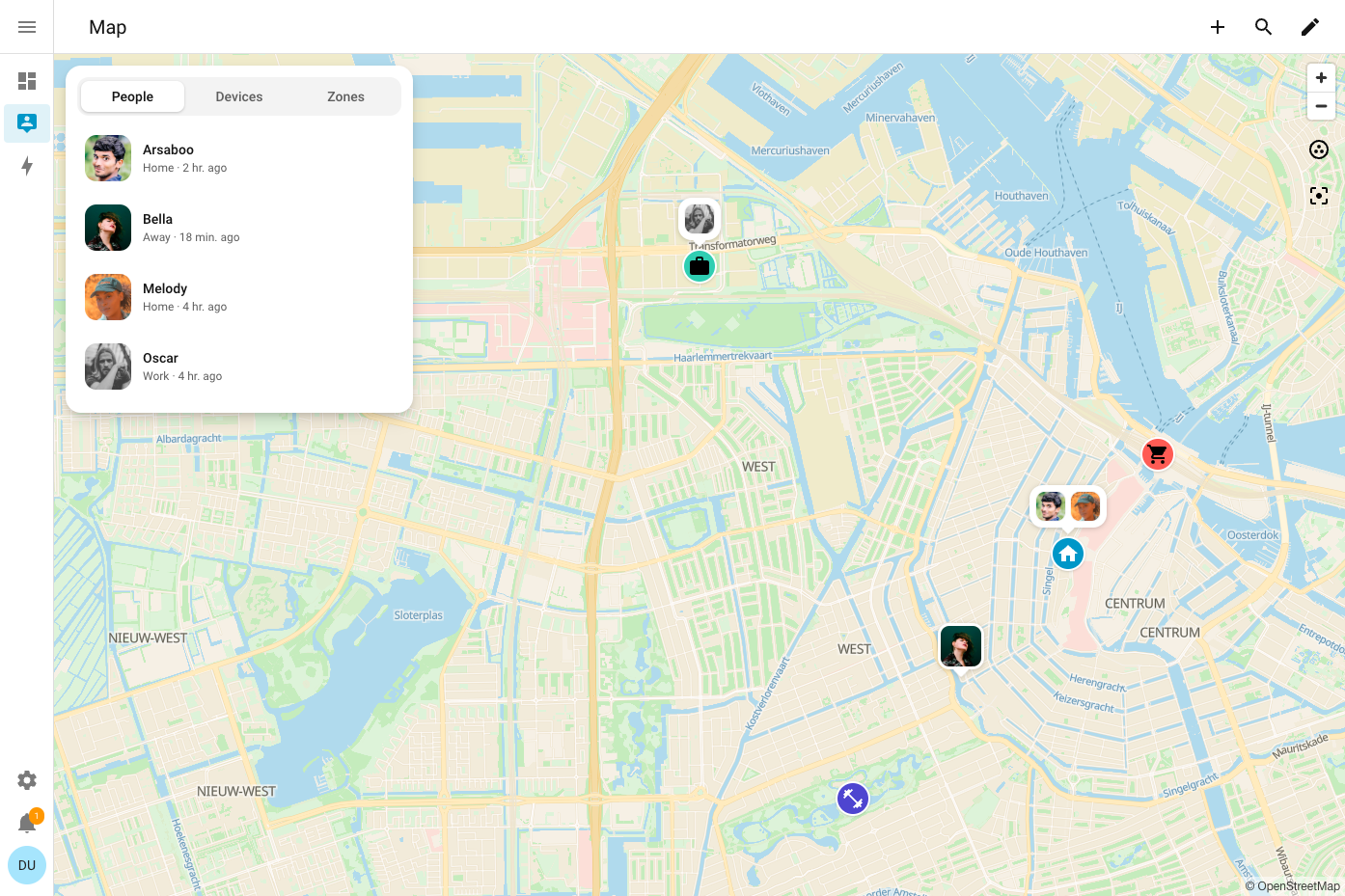
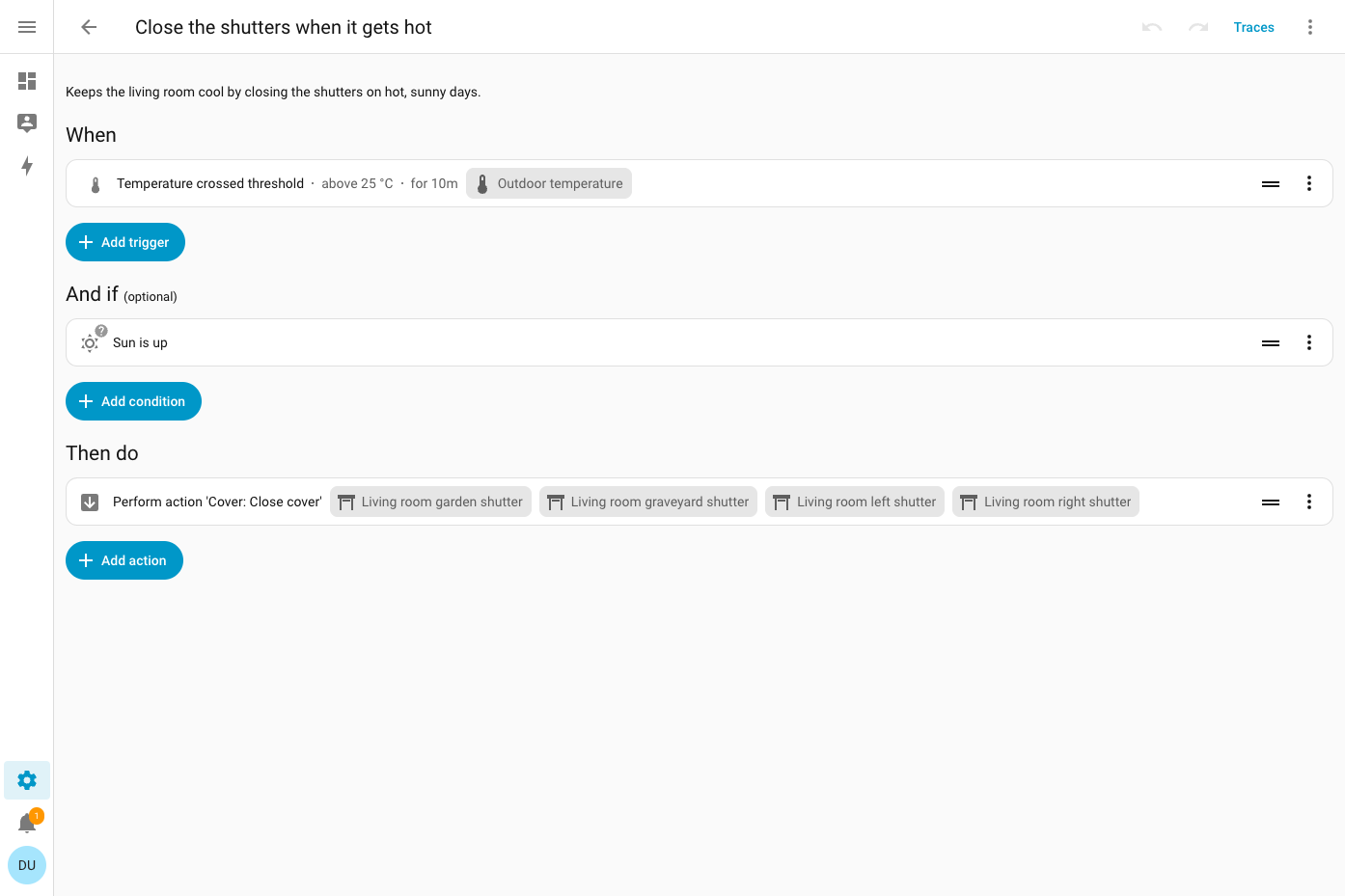
Your house already has lights, locks, sensors, thermostats, and speakers from many brands, and Home Assistant gives them one local control room with no vendor cloud in the loop. To close the shutters when the outdoor temperature holds above 25 °C, or to be alerted when the garage door is left open, build the routine in the visual editor: When, And if, Then do. Scenes, scripts, and blueprints package it for reuse, and run traces show what it did. More than 1,500 integrations cover Zigbee, Z-Wave, Matter, Thread, MQTT, ESPHome, Bluetooth, Hue, and Sonos, and network discovery offers known devices for one-step setup. To see the house at a glance, drag tile, thermostat, gauge, graph, and map cards into a dashboard, then put it on a TV with Home Assistant Cast. The Energy dashboard answers where the power goes, drawing solar, grid, battery, gas, and water as one distribution diagram with cost totals and per-appliance tracking. To talk to the house, use Assist: natural-language commands, wake words, and custom sentences run locally or through Home Assistant Cloud. The map panel shows who is home, plotting people against zones such as Home, Work, and School from the iOS and Android companion apps. Areas and labels keep large setups tidy, and multi-factor authentication guards each account. Running on a dedicated VPS on RepoCloud with guaranteed CPU, RAM, and SSD, full root SSH access, and a browser serial console. Apache-2.0 licensed.
Benefits
- Keep smart home data on your server
- Devices are controlled locally, and the cloud is only a fallback when a device offers no other option, so your smart home data stays on your own server instead of a vendor's.
- Connect devices from over 1,000 brands
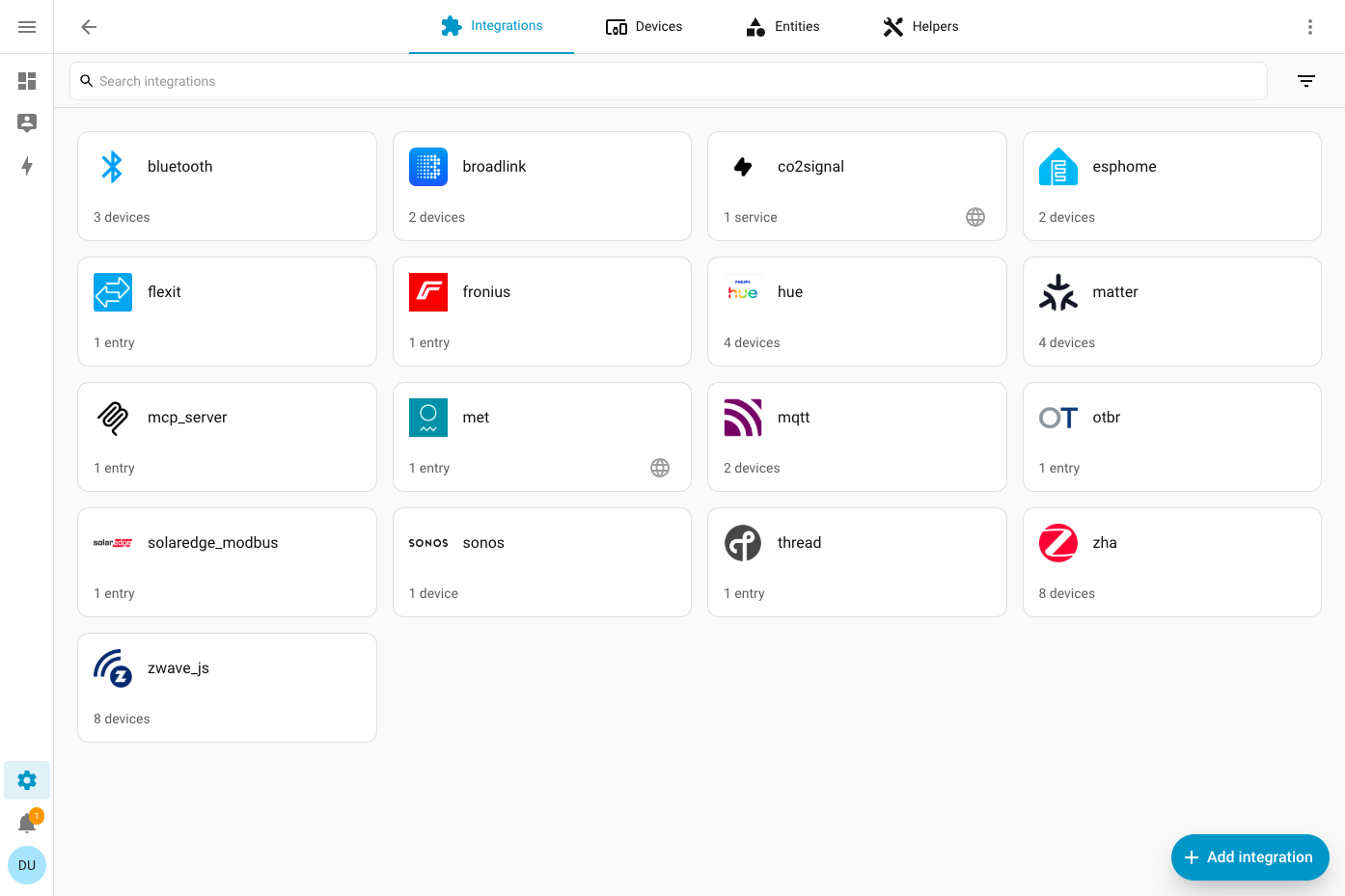
- More than 1,500 integrations cover Zigbee, Z-Wave, Matter, Thread, MQTT, ESPHome, and Bluetooth, and network discovery proposes known devices for one-step setup instead of hand-written configuration.
- Automate routines without writing code
- A visual editor with When, And if, and Then do sections builds triggers, conditions, and actions, while scenes, scripts, and blueprints package routines for reuse and YAML remains available for advanced setups.
- See where every watt goes
- The Energy dashboard combines grid, solar, battery, gas, and water sources into a distribution diagram, a totals table with costs, and consumption charts, plus tracking for individual appliances.
Features
- Visual Automation Editor
- Build routines from triggers, conditions, and actions in a When, And if, Then do layout, with undo, redo, and run traces for checking what each automation did.
- Drag-and-Drop Dashboards
- Arrange tile, thermostat, gauge, history graph, map, and markdown cards in sections, masonry, panel, or sidebar views, and show dashboards on a TV with Home Assistant Cast.
- Energy Dashboard
- Tracks electricity from the grid, solar panels, home batteries, gas, and water, with a flow diagram, power-source chart, totals table, and per-device consumption.
- Assist Voice Control
- Natural-language control runs locally or through Home Assistant Cloud, with wake words, custom sentences, and optional AI conversation agents on phones, tablets, watches, and dedicated voice hardware.
- Map and Presence Tracking
- A map panel plots people and devices against zones such as Home, Work, and School, while the iOS and Android companion apps report location for presence-based automations.
- Integration and Device Management
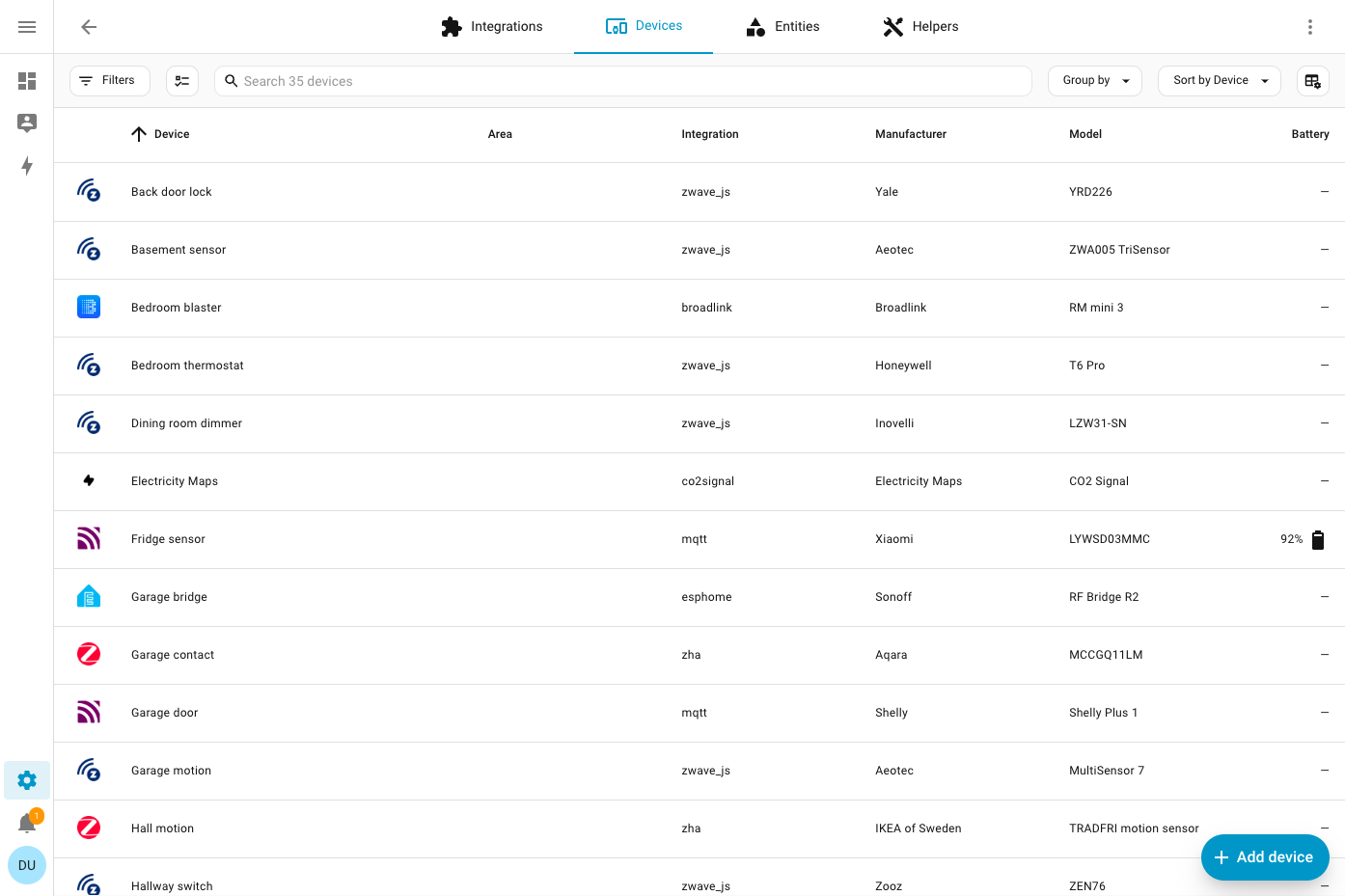
- Settings lists integrations such as ZHA, Z-Wave JS, Matter, MQTT, ESPHome, Hue, and Sonos, with searchable device tables showing integration, manufacturer, model, and battery level.