Parabol
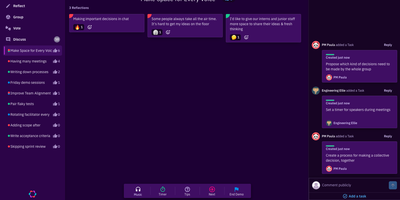
Retrospectives, sprint poker, check-ins, and standups all get a home in Parabol, a meeting workspace that walks agile teams through each ritual one stage at a time and keeps every outcome in one place. A retrospective flows from icebreaker to reflect, group, vote, and discuss, with anonymous reflection cards that stay hidden until everyone is done writing, then cluster into themes before dot voting decides what deserves airtime; Start/Stop/Continue, 4Ls, and Mad/Sad/Glad templates are ready to use or customize. Sprint Poker estimates stories on Fibonacci, T-shirt, or custom scales, pulling backlog items from Jira Cloud, GitHub, GitLab, or Linear and pushing the agreed estimate back. Check-ins work through agenda items and task updates, while standups gather written answers on a recurring schedule so distributed teams stay current across time zones. A facilitator timer sets deadlines for asynchronous contributions, with optional Slack or Mattermost notifications to the team. Action items land on a shared task board with active, stuck, done, and future columns, and Pages hold real-time collaborative notes next to the meetings that produced them. Every meeting closes with a summary of attendees, discussion, and next steps that can be emailed to the team. Running on a dedicated VPS on RepoCloud with guaranteed CPU, RAM, and SSD, full root SSH access, and a browser serial console. AGPL-3.0 licensed.
Coral
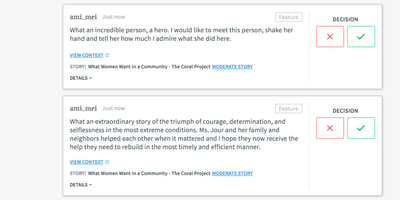
Comment sections at the Washington Post, the Wall Street Journal, and newsrooms across 30 countries run on Coral (also known as Talk) - the platform built by journalists' technologists, started under the Mozilla Foundation and now stewarded by Vox Media as an Apache-2.0 project serving 23 languages. Its founding premise is that online comments are broken and moderation is the fix. Moderators get a full queue system - reported comments, system-held pending comments, and configurable pre-moderation - backed by AI toxicity scoring that warns commenters before posting and holds high-scoring comments for review, Akismet spam detection, banned and suspect word lists, and automatic repeat-offender handling that pre-moderates users whose rejection rate crosses a threshold. Readers get features designed for healthier conversation: journalist badges in threads, muting of annoying voices, notifications, instant new-comment alerts, and timeouts rather than just bans. For publishers the economics are the point - no ads, no trackers, no hidden pixels anywhere in the code, full ownership of audience data, and GDPR compliance beyond requirements. Integration is one embedded script; SSO connects existing registration, and a GraphQL API supports customization and extension.
HFS
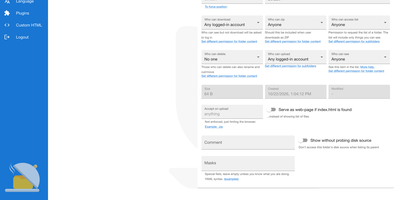
HFS turns any folder on a server into a file-sharing site that visitors open in a browser, with no upload step and no space or bandwidth cap beyond your own disk. Visitors browse, search, and download single files or whole folders as ZIP archives that start streaming immediately, and interrupted uploads or downloads can resume. A virtual file system lets you arrange and rename what is shared without touching the files on disk, while accounts and per-folder permissions decide who can see, download, upload, or delete. The admin web panel covers HTTPS with built-in certificate generation, bandwidth limits globally or per IP address, geographic blocking by country, and live connection monitoring with disconnect and IP ban. Plugins add thumbnails, share links, LDAP, two-factor sign-in, download quotas, and notifications, and a few lines of JavaScript in the admin panel can change the look or the backend behavior without a restart. The front end speaks 27+ languages, works on phones, and includes a media player for audio and video. Typical uses include sending large files to friends without uploading them first, publishing a download area, and collecting uploads from visitors. Running on a dedicated VPS on RepoCloud with guaranteed CPU, RAM, and SSD, full root SSH access, and a browser serial console. GPL-3.0 licensed.
farmOS
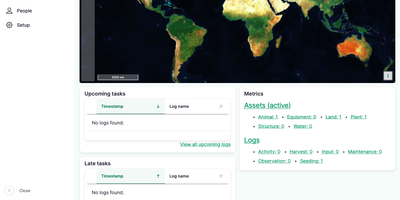
farmOS is the record book, map, and planning board for a working farm, replacing the notebook, the spreadsheet, and the whiteboard with one web app the whole crew can check from the field. The dashboard opens on a map of your land, so you click a field, a barn, or a pasture to reach every record tied to that place. Assets are the things you manage, from fields and animals to equipment and plantings, and Logs are everything that happens to them: seedings, harvests, treatments, movements, and observations, each with dates, notes, and photos. Quantities attach real numbers to those logs, such as kilograms harvested, litres applied, or hours worked, turning daily notes into yields and input costs you can compare across seasons. Quick forms make common entries fast on a phone, and upcoming or late tasks on the dashboard keep pending work from being forgotten. Plans group assets and logs around a purpose such as a grazing rotation or a season of crop production, while reports summarize the records for analysis. Crew members get their own accounts with permissions, records stay private by default, and an API plus add-on modules connect sensors and other farm tools. Running on a dedicated VPS on RepoCloud with guaranteed CPU, RAM, and SSD, full root SSH access, and a browser serial console. GPL-2.0 licensed.
Kanidm
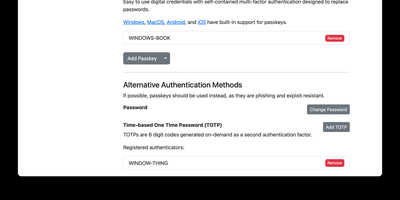
Every service you self-host wants its own account database, and Kanidm exists so they can all share one: one identity server where people sign in with passkeys and every application trusts the same login. Users register YubiKeys, Touch ID, Windows Hello, or TPM backed authenticators, and attested passkey policies let administrators restrict sign-in to specific authenticator models in high security environments. Applications connect as OAuth2 or OpenID Connect clients with authorization code, client credentials, PKCE, token exchange, and revocation supported, so your wiki, Git forge, and file sync all delegate sign-in instead of storing passwords. The application portal gives each person one page of tiles for every service they may open, and role based access control decides which groups see which applications and scopes. Older systems that only speak LDAP bind to the read-only LDAPS gateway, while Wi-Fi and VPN gear authenticates through the built-in RADIUS server with MS-CHAPv2 and EAP-TLS. Linux machines join through the Unix client for PAM and NSS authentication, cached offline credentials protected by the machine TPM, and SSH keys distributed from the server to every host. A second server replicates the whole database with strong eventual consistency, every node accepting writes without elections or quorums, so a failed machine never locks your users out of sign-in. Running on a dedicated VPS on RepoCloud with guaranteed CPU, RAM, and SSD, full root SSH access, and a browser serial console. MPL-2.0 licensed.
Pomerium
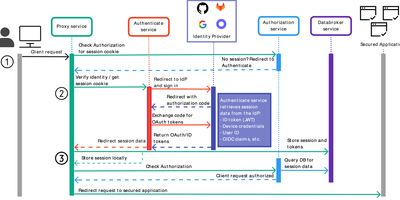
Pomerium puts every internal application behind a single identity-aware proxy, so engineers reach dashboards, admin panels, and databases through their browser with no VPN client and no network-level trust. Sign-in flows through your existing identity provider, including Google, Okta, Azure AD, GitHub, GitLab, and any OpenID Connect service, with sessions verified continuously rather than once at login. Each route carries its own policy: restrict the finance tool to the finance group, require a specific email domain for the admin console, or allow read-only paths more broadly. Authorized requests pass identity headers the application can trust, and every access decision is logged for audit. TCP routes extend the same sign-in and policy checks to SSH, PostgreSQL, MySQL, and RDP connections through a small client or a browser-based terminal. In Kubernetes, Pomerium doubles as an ingress controller, applying the same policies to services as annotations on ingress resources. Mutual TLS between the proxy and backends, encrypted sessions, and short-lived credentials replace shared passwords and flat networks. Teams roll it out as one all-in-one binary or split the proxy, authorize, authenticate, and cache services across machines as traffic grows. Running on a dedicated VPS on RepoCloud with guaranteed CPU, RAM, and SSD, full root SSH access, and a browser serial console. Apache-2.0 licensed.
Docker Registry UI
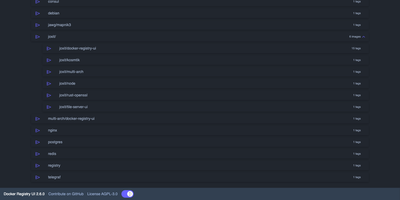
Instead of querying a private registry with curl and its HTTP API, open Docker Registry UI and click through repositories, tags, digests, and layers in a browser. The catalog groups images by namespace, shows tag counts, and filters as you type in the search bar, which Ctrl+F or F3 focuses. Each repository's tag list shows creation date, size, content digest, and CPU architecture, sorts numerically, and copies a ready-made pull reference with one click. A history page expands any tag into its operating system, entrypoint, environment variables, exposed ports, and layer-by-layer build steps, and a Dockerfile view reconstructs the file from those steps. The same view also covers multi-architecture images and OCI Helm exports. When the registry allows deletion, tags go one at a time or in bulk with checkboxes, Alt+Click for a whole page, and Shift+Click for a range. One interface can switch between several registries from its menu, or be locked to a single registry with your own title. Basic authentication passes through the browser, and a built-in proxy option forwards requests to your registry container so CORS needs no configuration. Light, dark, and automatic themes come with color variables for custom branding, and a weekly notice announces newer releases. Running on a dedicated VPS on RepoCloud with guaranteed CPU, RAM, and SSD, full root SSH access, and a browser serial console. AGPL-3.0 licensed.
MCPHub
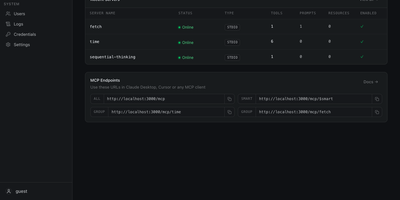
One endpoint for every MCP server you run: MCPHub gathers local and remote Model Context Protocol servers behind stable URLs, so AI clients connect once and see what you allow. Claude Code, Cursor, and Cherry Studio can use four routes: everything at /mcp, a named group at /mcp/{group}, one server at /mcp/{server}, or semantic tool search at /mcp/$smart. Smart routing runs vector search on PostgreSQL with pgvector and an OpenAI-compatible key, so the model gets a shorter tool list. Servers attach over stdio, SSE, or streamable HTTP, OpenAPI services can be wrapped as MCP tools, and changes apply without downtime. In the other direction, MCP tools can be exported as an OpenAPI 3.0.3 spec for OpenWebUI and other OpenAPI clients. Bearer keys, OAuth 2.0 (client and server modes), and GitHub or Google sign-in in database mode control access, with per-user visibility for servers and groups. Encrypted per-user credentials let one shared server use each person's own key. Logs show tool-call activity, request status, and latency, health checks track each connection, and the dashboard controls which tools, prompts, and resources each server exposes. Large text tool results can be compressed, interactive MCP Apps are proxied through MCPHub routes, and a built-in market lets you browse a server catalog. Typical uses include a team-wide gateway, per-project groups, and direct single-server routes for debugging. Running on a dedicated VPS on RepoCloud with guaranteed CPU, RAM, and SSD, full root SSH access, and a browser serial console. Apache-2.0 licensed.
Xibo
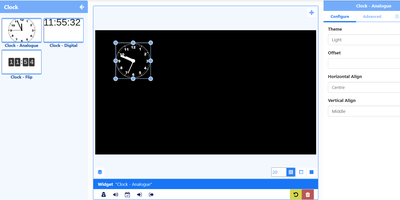
A lobby television stuck on a printed poster, a cafe menu board nobody remembers to update, a corridor screen looping last month's notices: Xibo replaces that drift with one web dashboard where every display on the network gets designed content, a schedule, and fresh media from a central library. Layouts are composed on a canvas of regions holding video, images, text and live widgets, then sequenced into playlists and grouped into campaigns spanning hundreds of screens. Scheduling works down to dayparts and dates, so breakfast menus stop at eleven, event signage appears only on event days, and each group of displays keeps its own programming. Proof-of-play reports record exactly what aired on every screen for advertiser billing and compliance audits. Windows, Android, LG webOS and Samsung Tizen players check in automatically, pull changed content and report their status back to the CMS. Running on a dedicated VPS on RepoCloud with guaranteed CPU, RAM, and SSD, full root SSH access, and a browser serial console. AGPL-3.0 licensed.
eLabFTW
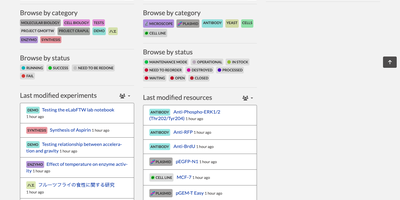
For research teams that need to show what was recorded and when, eLabFTW® is an electronic lab notebook that keeps experiments, lab inventory, and equipment bookings in one shared, searchable system. Each experiment holds rich-text notes, tables, images, checkable steps, custom metadata fields, tags, statuses, and attached files. Templates turn a protocol you repeat into a one-click starting point. A separate resource database catalogs antibodies, plasmids, cell lines, chemicals, and instruments, and typing # in an experiment links straight to any of them. Compounds import from PubChem by CID or CAS number, arriving with formulas, identifiers, and hazard data. The inventory tree maps buildings and their sub-locations, records where each container is stored, and tracks quantity and unit. Book a microscope by dragging a slot on the scheduler, and permissions decide who may reserve what. Entries can be signed with Ed25519 keys and timestamped through RFC 3161 authorities such as DFN, Digicert, and GlobalSign, or anchored on the Bloxberg blockchain; a timestamp archive can never be edited or deleted. Export to PDF, ZIP, CSV, JSON, or .eln archives, and import .eln or CSV files when moving from spreadsheets or another notebook. Users sign in locally or through SAML2 or LDAP, and an API with per-user keys lets instruments and scripts read and write entries. Running on a dedicated VPS on RepoCloud with guaranteed CPU, RAM, and SSD, full root SSH access, and a browser serial console. AGPL-3.0 licensed.
LLDAP
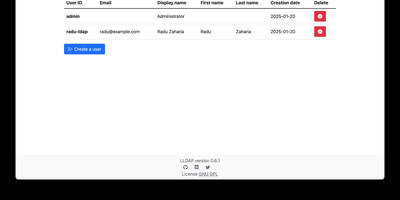
LLDAP is a lightweight user directory that lets all your self-hosted apps share one set of accounts and passwords. It speaks just enough LDAP for Nextcloud, Jellyfin, Gitea, GitLab, Grafana, Home Assistant, Proxmox VE, Vaultwarden, and many more to authenticate users against a single source of truth, with ready-made example configurations for more than 80 services. Day-to-day administration happens in a web interface where you create users, set passwords, upload avatars, build groups, and add members from a dropdown. Regular users can sign in to edit their own profile, and once SMTP is configured they can request a password-reset link by email instead of pinging the admin. Custom attributes (text, numbers, dates, or JPEG photos) are defined on the user and group schema pages, which unlocks integrations that expect fields such as uidNumber or homeDirectory, including Linux logins through PAM. Three built-in groups keep privileges tidy: lldap_admin for full control, lldap_password_manager for password resets, and lldap_strict_readonly for read-only service accounts. Group membership is exposed through memberOf filters, LDAPS secures connections when you expose the port, and a GraphQL API plus a bootstrap script let you manage users, groups, and attributes declaratively from JSON files. Pair it with Authelia, Authentik, or Keycloak when you also want single sign-on and multi-factor prompts. Running on a dedicated VPS on RepoCloud with guaranteed CPU, RAM, and SSD, full root SSH access, and a browser serial console. GPL-3.0 licensed.
Grimmory
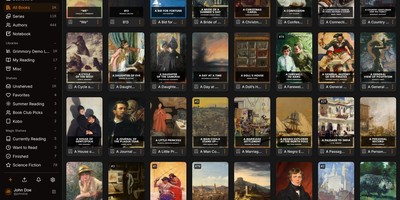
Consolidate fragmented collections of digital novels, graphic novels, manga, and audiobooks into Grimmory, an open-source media library server that combines automated file sorting with rich in-browser reading environments. The server indexes diverse media formats including EPUB, MOBI, AZW3, FB2, PDF, CBZ, CBR, CB7, M4B, and MP3 files across isolated storage directories. Readers explore literature through specialized browser viewports that provide customizable typography, CFI highlight annotations, two-page comic spreads with right-to-left manga modes, and chapter-based audiobook playback with sleep timers. Automated BookDrop watch folders ingest incoming files, retrieving book covers, author biographies, and community ratings from Google Books, Open Library, and Amazon APIs. Dynamic Magic Shelves organize catalogs automatically using nested boolean rule trees that filter books by page counts, genres, release dates, or narrator identities without server reload overhead. External e-readers access media catalogs through standard OPDS feeds or native Kobo and KOReader synchronization endpoints that match documents by binary content hashes. Built-in email delivery sends formatted books directly to Kindle devices with a single click, while OpenID Connect authentication enforces granular multi-user library permissions. Running on a dedicated VPS on RepoCloud with guaranteed CPU, RAM, and SSD, full root SSH access, and a browser serial console. GNU AGPLv3 licensed.
Docling Serve
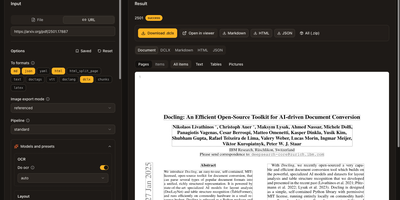
Messy PDFs, slide decks, spreadsheets, and web pages become clean, structured text for AI pipelines once Docling Serve has converted them. Open the built-in playground, paste a link or drop a file, and press Convert to see the result beside the options that produced it. A page viewer draws the detected layout over each scanned page, with filters for text, tables, and pictures. Output tabs show Markdown, HTML, and JSON, and one click downloads everything as a zip. The options panel picks OCR engines, table structure models, picture descriptions, code and formula enrichment, and chart extraction, each with its own preset. Copy the exact request as a curl command or a Python snippet and move it straight into production code. A Server tab lists the limits, supported sources and targets, installed library versions, and every model preset the instance offers. Optional API keys, S3 or Google Drive sources, and async task queues cover shared team deployments. Running on a dedicated VPS on RepoCloud with guaranteed CPU, RAM, and SSD, full root SSH access, and a browser serial console. MIT licensed.
Chatterbox TTS
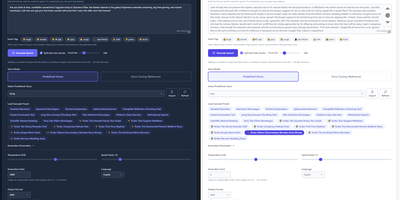
With 26,000 GitHub stars and consistent victories over ElevenLabs in blind evaluations, Chatterbox delivers state-of-the-art text-to-speech with zero-shot voice cloning requiring only 5 seconds of reference audio. The model family spans three architectures: Chatterbox Multilingual V3 (500M parameters, 23+ languages including Arabic, Chinese, Japanese, Korean, Hindi, French, German, Spanish, and Portuguese), Chatterbox-Turbo (350M parameters optimized for voice agents with a single-step distilled decoder achieving ~200ms time-to-first-speech), and Chatterbox-Nano (110M parameters running 3x faster than realtime on 8 CPU cores for edge deployment). Unique among open-source TTS systems, Chatterbox introduces emotion exaggeration control — adjusting intensity from monotone to dramatically expressive via a single parameter — and native paralinguistic tagging where tokens like [laugh], [cough], [chuckle], and [gasp] inject natural vocal reactions inline without post-processing. The alignment-informed inference pipeline eliminates hallucinations and repetition artifacts common in autoregressive TTS. Built-in PerTh neural watermarking embeds imperceptible forensic identifiers in generated audio for provenance tracking. Trained on 500,000 hours of cleaned speech data across all supported languages. Voice conversion scripts enable transforming existing audio into any cloned voice. Deploy via pip install with PyTorch, serve through Gradio interfaces or custom FastAPI endpoints, and expose via HTTP streaming or WebSocket for sub-200ms conversational applications. Running on a dedicated VPS on RepoCloud with guaranteed CPU, RAM, and SSD, full root SSH access, and a browser serial console. MIT licensed.
webtrees
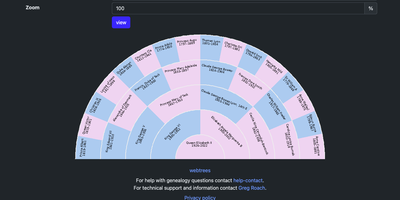
webtrees turns a GEDCOM family file into a private, collaborative genealogy website where relatives anywhere browse ancestors, add photos and sources, and edit together under privacy rules the owner controls. Import a file and each person gets a page of facts, events, and citations, with tabs for families, sources, places, media, and albums and a navigator that jumps to parents, spouses, children, and siblings. Pedigree, fan, hourglass, compact, descendant, interactive, lifespan, relationship, and timeline charts show the same people from different angles, and a pedigree map plots ancestors' birthplaces on OpenStreetMap. Lists sort and filter individuals, families, sources, notes, repositories, and media, with branches that group people by surname. A calendar surfaces births, deaths, marriages, and anniversaries for any day, month, or year, in Gregorian, Julian, Jewish, Hijri, or Jalali dates. Printable PDF reports cover Ahnentafel, family group, descendancy, birth, death, and cemetery records, and search offers general, advanced, and search-and-replace modes for authorized users. Privacy rules apply per site, tree, user, record, and fact, so only authorized users see living people and sensitive details. Editors propose changes, moderators approve them, one site hosts several trees, and the interface comes in more than 60 languages. GEDCOM export lets every tree move to desktop genealogy programs. Running on a dedicated VPS on RepoCloud with guaranteed CPU, RAM, and SSD, full root SSH access, and a browser serial console. GPL-3.0 licensed.
ProjectSend
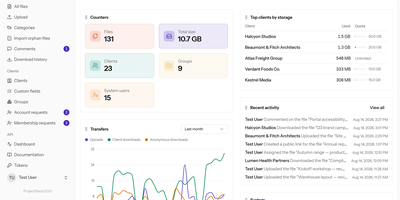
ProjectSend gives every client a private, signed-in page on your own server where only the files you assigned to them appear, so contracts, photo shoots, and quarterly reports skip the third-party file-sharing service. You upload once, then share a file or a whole folder with one client, a group, or anyone holding a public link, with an optional expiry date or download limit. Clients search, preview, and download files one by one or as a zip, whole folders included, comment on a document so questions stay beside it, and send files back within the quota you set. Uploads of up to 2 GB travel in resumable pieces, so a dropped connection pauses a transfer instead of ruining it. Folders, categories, custom client fields, and linked file versions keep a growing library tidy, while roles with granular permissions let staff work without becoming administrators. The activity log and download history record who received what and when, and the log exports to CSV. Sign-in works with email and password, LDAP, or Google and Microsoft accounts, with optional two-factor authentication. Your logo, watermark, themes, and editable email templates carry your brand, and the interface is translated into 16 languages. Optional virus scanning quarantines suspicious uploads, and a REST API with scoped tokens automates uploads, sharing, and account management. Running on a dedicated VPS on RepoCloud with guaranteed CPU, RAM, and SSD, full root SSH access, and a browser serial console. GPL-2.0-or-later licensed.
Moltis
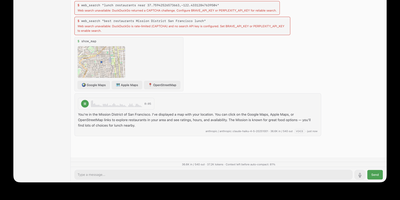
Moltis gives individuals and teams a completely private personal AI agent server that bridges conversational assistants to everyday messaging platforms while executing real-world computing tasks inside secure execution environments. Users can interact with autonomous agents across Telegram, Discord, WhatsApp, Slack, Matrix, and browser interfaces to draft correspondence, automate research, and schedule recurring cron tasks. The system coordinates multi-agent delegation by spinning up specialized sub-agents with dedicated roles for code generation, pull request reviews, quality assurance testing, and technical documentation. Built-in sandboxing isolates tool operations within container boundaries or WebAssembly modules, ensuring shell commands, web scraping routines, and script executions cannot alter underlying operating system files without explicit permission. Native Model Context Protocol integration allows operators to attach external data endpoints, database connectors, and custom command-line utilities without rewriting core routing logic. Persistent memory preserves conversational context and document embeddings across multiple sessions, allowing assistants to recall prior discussions, user preferences, and project guidelines indefinitely. Administrators can configure granular tool approvals, manage WebAuthn passkey authentication, and review real-time WebSocket communication logs through an embedded control panel. Running on a dedicated VPS on RepoCloud with guaranteed CPU, RAM, and SSD, full root SSH access, and a browser serial console. MIT licensed.
Saltcorn
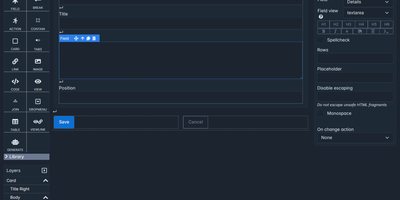
Spreadsheets and old Access databases give way to custom business apps that a team builds itself in a browser with Saltcorn, a no-code database application builder. Tables hold related records with typed and calculated fields, and CSV files import straight into them. Views start from patterns such as list, show, edit, filter, kanban, calendar, gantt, map, and chart, then take shape on a drag-and-drop canvas with a layers tree and desktop, tablet, and mobile previews. A view can embed another view, so clicking a row narrows the others and builds a cross-filtering dashboard with no glue code. Triggers react to row changes, schedules, logins, and API calls, while visual workflows branch, loop, and pause for a person's form before resuming days later. An AI copilot drafts tables, pages, and workflows from a plain-language prompt. The same views also become native Android and iOS apps with offline mode, PDF or image documents, and responsive emails. Every table, view, and page carries a minimum user role, and an auto-generated REST API exposes the data. Packs such as project management and an address book start an app from a ready template. Running on a dedicated VPS on RepoCloud with guaranteed CPU, RAM, and SSD, full root SSH access, and a browser serial console. MIT licensed.