Swetrix
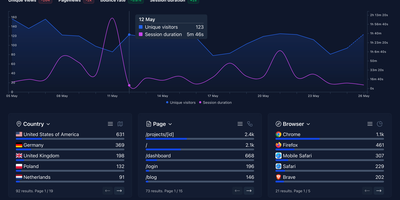
Traffic analytics, real-user performance monitoring, and client-side error tracking - normally three tools - in one cookieless, privacy-first dashboard: Swetrix. The Community Edition ships the same core engine as the cloud product - a NestJS API with ClickHouse for high-volume event storage, MySQL for relational data, and Redis for caching, fronted by a React dashboard and a ~5 KB tracking script with official packages for 20+ frameworks including Next.js, WordPress, and Shopify. Traffic analytics cover pageviews, referrers, UTM campaigns, geolocation, sessions with page flows, funnels, and custom events - all anonymized server-side with no cookies, no cross-device tracking, and no consent banner required for GDPR compliance. Performance monitoring records real-user metrics per pageview: TTFB, DNS and TLS timing, and render times, so regressions surface in the same place as traffic. Error tracking captures unhandled JavaScript exceptions automatically with formatted stack traces, filename/line metadata, affected browsers and pages, first/last-seen timestamps, and a resolve workflow - replacing a separate error monitoring subscription for many teams. Alerts fire to email, Slack, Telegram, Discord, or webhooks on traffic spikes, new errors, and custom events. If Plausible covers your traffic questions but you also want to know why the site broke, Swetrix answers both.
Duplicati
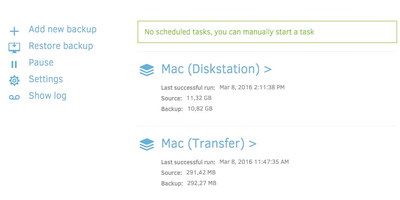
Encrypted, incremental, compressed backups on storage you already have - Amazon S3, Backblaze B2, Google Drive, Azure, OneDrive, Dropbox, MEGA, Storj, WebDAV, SFTP, FTP, SMB, or a plain local disk - is what the MIT-licensed Duplicati has quietly done for years. Its security model is Trust No One: every block is encrypted with AES-256 (or a local GPG instance) before leaving the machine, and the passphrase never travels, so the storage provider holds only ciphertext. The block-based storage engine gives the best of both backup worlds: after one initial full backup, only changed data blocks upload - modify a tiny part of a huge file and only that part transfers - yet every backup version restores like a full backup in a single operation, with no incremental chains to replay. Deduplication and compression keep remote storage growth slow even across years of versions. A web interface manages everything: the built-in scheduler keeps backups current automatically, flexible filters select folders, file types, or custom patterns, retention policies prune old versions, and an integrated updater flags new releases. On compatible object-lock backends, immutable (WORM) storage protects backup data from ransomware that reaches the credentials. Runs on Windows, macOS, and Linux, free even for commercial use.
draw.io
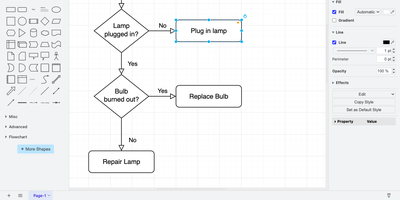
draw.io is a free, browser-based diagramming editor for flowcharts, network maps, UML models, and org charts, with nothing to install. An infinite canvas takes shapes from extensive libraries, connectors reroute automatically as shapes move, and ready-made templates replace the blank page. Tables, swimlanes, layers, and tags keep large diagrams tidy, and shape metadata and placeholders attach tooltips, links, and translations. Auto-layout straightens flowcharts and trees. Math typesetting, a simple whiteboard layout, and adaptive dark mode are built in, and custom shape libraries carry your own in-house icon sets. Export to PNG, JPEG, WebP, SVG, HTML, or PDF, embed the diagram data inside PNG and SVG files so they stay editable, or save the full diagram as a .drawio file. Your server stores no diagrams: files go to the user's device, the browser, or Google Drive, OneDrive, and GitLab once you register your own OAuth app. Optional AI diagram generation uses your own provider key, and environment variables set the interface language, fonts, and security policy. Running on a dedicated VPS on RepoCloud with guaranteed CPU, RAM, and SSD, full root SSH access, and a browser serial console. Apache-2.0 licensed.
FireFlyIII
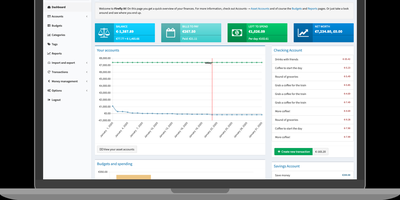
With over 24,000 GitHub stars and active development since 2014, Firefly III is the self-hosted personal finance manager that gives you complete control over your financial data without ever contacting external servers. The double-entry bookkeeping system tracks every transaction with source and destination accounts, ensuring accurate balance calculations and audit trails across checking, savings, credit card, cash, and asset accounts. Budget management sets monthly spending limits by category with visual progress tracking and rollover support for unused allocations. Rule-based transaction automation applies categorization, tags, and budget assignments automatically based on configurable conditions matching description, amount, source, and destination patterns. Recurring transactions schedule regular bills, subscriptions, and income entries with automatic creation on configured dates. Piggy banks divide savings accounts into virtual sub-accounts for goal tracking with target amounts and deadlines. Financial reports include income versus expense summaries, budget performance charts, category breakdowns, tag reports, and net worth tracking with weekly, monthly, and yearly time ranges. Multi-currency support handles any currency with configurable exchange rates for international finance tracking. The REST JSON API covers nearly every feature for integration with external tools, import utilities, and the companion Firefly III Data Importer for bank statement processing. Two-factor authentication provides account security. Self-hosting deploys via Docker containers or directly on PHP 8.5+ with MySQL or PostgreSQL. Running on a dedicated VPS on RepoCloud with guaranteed CPU, RAM, and SSD, full root SSH access, and a browser serial console. AGPL-3.0 licensed.

Jellyseerr
Browse trending titles, search anything, request it in two clicks: Jellyseerr gives Jellyfin, Emby, and Plex users a beautiful storefront for the media library. Born as the Overseerr fork that added Jellyfin and Emby support (the projects have since unified as Seerr), it handles the full request lifecycle - users authenticate with their existing media-server accounts, pick individual seasons or movies in a clean interface, and admins approve or decline from a simple queue, including on mobile. Approved requests flow straight to Sonarr and Radarr, which handle acquisition automatically, with support for separate 4K server instances. Regular library scans keep availability accurate, so users see instantly what already exists instead of requesting duplicates. A granular permission system controls who can request what - auto-approval for trusted users, quotas and limits elsewhere - and override rules adjust request routing by user, tag, or other conditions. Watchlist and blocklist functions curate discovery, notifications reach email, Discord, Telegram, Slack, Pushover, and Pushbullet, and both PostgreSQL and SQLite are supported. Localized into many languages, it turns "can you add this movie?" texts into a self-service system that runs itself.
Hasura
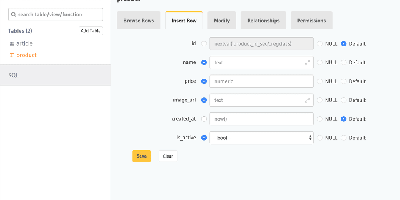
A PostgreSQL database becomes a production-grade GraphQL API the moment Hasura GraphQL Engine points at it: track tables and relationships - existing schemas included - and full query, mutation, and subscription types appear with where, order_by, limit, offset, and on_conflict arguments, no resolvers or boilerplate written. Its Haskell core compiles GraphQL to efficient SQL, and any query becomes a real-time live query with a single keyword, powering dashboards and collaborative UIs over standard GraphQL subscriptions. Authorization is where Hasura earns its enterprise reputation: role-based access control with row- and column-level permission policies driven by session variables from JWTs, auth webhooks, or headers - each role effectively sees its own GraphQL schema containing only what it may touch, integrating cleanly with Auth0, Firebase, or homegrown auth. Event triggers fire webhooks on inserts, updates, and deletes for asynchronous business logic; Actions extend the schema with custom REST handlers; remote schema stitching merges external GraphQL services into one endpoint; and auto-generated REST endpoints serve clients that skip GraphQL. A browser console handles data modeling and API exploration, the CLI manages migrations and metadata as code, and deployment is a single stateless Docker container beside Postgres.
Documize
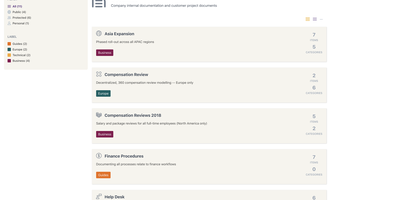
Enterprise documentation discipline without enterprise infrastructure: Documize Community is the Confluence alternative built on exactly that trade. The entire platform - Go backend, Ember.js frontend - compiles to a single executable binary for Linux, Windows, and macOS with zero runtime dependencies: no Elasticsearch, no Redis, no JVM. Point it at PostgreSQL, MySQL, MariaDB, Percona, or Microsoft SQL Server (rare in open source, decisive in Microsoft shops), and schema migrations run on launch with native full-text search on whichever engine you chose. Content organization rejects nested-folder sprawl for Spaces, categories, and labels, and the section-based composable editor mixes rich text, Markdown, code blocks, PDFs, diagrams, and embedded Jira or Trello content in one document, with reusable blocks and templates so teams start from standards rather than blank pages. It deliberately unifies internal team docs and customer-facing documentation in one system with granular space-, document-, and action-level permissions deciding who sees what. Where wikis stop, Documize continues: content approval workflows (draft, review, approve, publish), version management, lifecycle control, feedback capture, PDF export, analytics showing what gets read and ignored, activity streams, and audit logs. Keycloak, LDAP, and SSO integrate for enterprise auth. AGPL-licensed.
phpMyAdmin
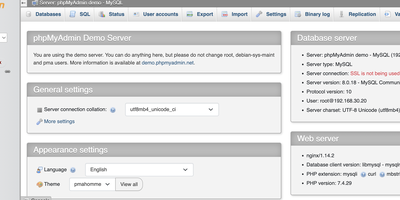
Since 1998, phpMyAdmin has been the standard web interface for MySQL and MariaDB - the tool millions of developers, DBAs, and hosting companies reach for when a database needs inspecting, fixing, or migrating. Written in PHP, it covers effectively the entire administration surface: create, browse, alter, and drop databases, tables, views, columns, and indexes; insert and edit rows through a tabular editor; manage user accounts and granular privileges; and maintain stored procedures, triggers, and events - all without touching a command line. The SQL editor executes arbitrary queries with syntax highlighting, autocompletion, history, and bookmarkable statements, including batch queries. Import/export is a migration workhorse: read SQL, CSV, XML, and OpenDocument spreadsheets in; write out to SQL dumps, CSV, JSON, XML, PDF, Word, LaTeX, and more - the fastest path for moving a WordPress database or handing a schema to a colleague. The Designer view renders your schema as an interactive ER diagram with drag-and-drop relationship editing, and data transformations display BLOBs as images or download links inline. Server maintenance views surface configuration suggestions. Multi-server support, dark mode, and translations into 72 languages round out a tool that earns its ubiquity. GPL-licensed.
Weblate
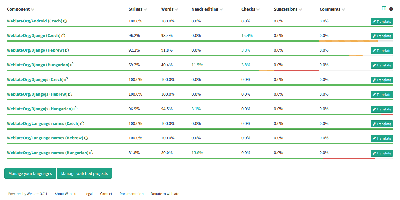
Over 2,500 open-source projects and companies in more than 165 countries localize with Weblate - the libre continuous localization platform and the standard self-hosted answer to Crowdin and Lokalise. Its defining trait is that translations live in the same version control as your code: Weblate talks directly to Git and Mercurial, pulls new source strings automatically via webhooks, and pushes finished translations back either as direct commits or as pull/merge requests on GitHub, GitLab, Gitea, Bitbucket, Azure DevOps, Gerrit, or Pagure. Every translator is properly credited in the commit history. For translators, it is a full computer-aided translation tool: translation memory, glossaries, customizable quality checks that catch placeholder and formatting mistakes, propagation of identical strings across components, and automatic suggestions from machine translation services - DeepL, Amazon Translate, LibreTranslate, and others, with per-service priorities and support for custom Python engines. It handles the format zoo (gettext PO, JSON, YAML, Android XML, iOS strings, and dozens more) and supports crowdsourced workflows with granular access control, workspaces, two-factor authentication, and reviewer approval steps. A REST API, CLI client, and add-on system automate everything else. Built on Python/Django, GPL-licensed, with no per-string or per-seat pricing when self-hosted.
PowerDNS-Admin
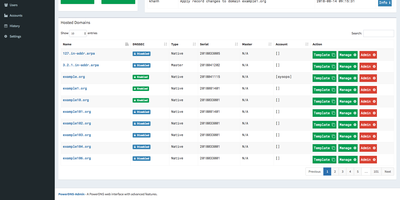
Raw zone files and API calls become something a whole team can operate safely once PowerDNS-Admin puts its web interface in front of a PowerDNS authoritative server. It's a Python/Flask application covering full forward and reverse zone management, with the touches that matter in daily DNS work: zone templates for stamping out consistent new domains, easy IPv6 PTR record editing (reverse zones by hand are misery), full IDN/Punycode support for internationalized domains, and DynDNS 2 protocol support so routers and scripts can update records the way they would against a commercial dynamic-DNS service. Access control is enterprise-grade: local users, LDAP against OpenLDAP or Active Directory, SAML, and OAuth via Google, GitHub, Azure, or OpenID Connect, hardened with TOTP two-factor authentication. Role-based permissions extend to zone-specific access control - hand a developer their project's zone without exposing the rest of your namespace - and activity logging records who changed which record when, the audit trail bare PowerDNS never gives you. The dashboard monitors PDNS service configuration and statistics, and its own API exposes zone and record management for automation on top of the UI. Runs against MySQL/MariaDB or PostgreSQL, talking to PowerDNS through its REST API. MIT-licensed.
phpMyFAQ
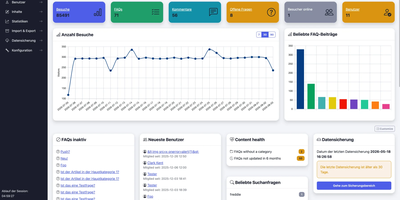
Publish the answers your team keeps repeating as a multilingual, searchable FAQ with phpMyFAQ, a knowledge base whose admin area handles writing, review, and permissions. Organize entries in nested categories that you rearrange by drag and drop, attach files, add tags and related FAQs, and let visitors leave comments. A WYSIWYG editor with an image manager writes each answer, a wiki-style revision history restores earlier versions, and a news system posts announcements. Full-text search covers every language, and optional Elasticsearch or OpenSearch backends handle larger collections. The interface covers more than 40 languages with right-to-left layouts, automatic content negotiation, and translated categories and entries. Privileges work per user and per group, so an editor can change an entry without being allowed to delete it, and categories can be limited to chosen readers. Sign in through LDAP, Active Directory, or Microsoft Entra ID, protect accounts with two-factor authentication, or try experimental passkeys. The dashboard charts 30 days of visits, lists inactive FAQs, and checks installed files against published hashes. Export entries to PDF, publish a dynamic sitemap, back up your content, and filter spam with built-in protections. Dark, light, and high-contrast themes keep the public site comfortable to read. Scripts and AI assistants reach the knowledge base through a REST API with an OpenAPI specification or an experimental MCP server, and plugins extend it. Running on a dedicated VPS on RepoCloud with guaranteed CPU, RAM, and SSD, full root SSH access, and a browser serial console. MPL-2.0 licensed.
Nametag
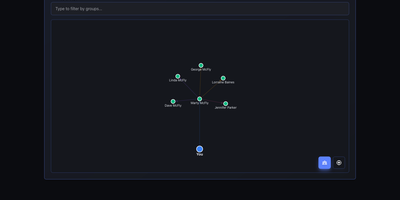
CRM mechanics applied to your actual relationships instead of a sales pipeline: Nametag is a Personal Relationship Manager (PRM). It exists to fix the things you keep forgetting: when you last talked to an old friend, their kids' names, the birthday you missed twice. Contacts are tracked with flexible attributes - names, birthdays, important dates, and free-form notes for everything else - and organized into custom groups. Where it goes beyond a contacts app is relationship mapping: you define how people connect to each other (family, friends, colleagues, or custom relationship types), and an interactive D3.js-powered graph renders your entire personal network so you can see clusters and connections at a glance. Staying in touch is automated: scheduled reminders fire for birthdays, important dates, and reach-out nudges, with optional email delivery via a Resend API key for password resets and reminder notifications. Built with Next.js, it is mobile-responsive, ships with full dark mode, and supports multiple languages including English and Spanish. Because it is self-hosted, there are no account tiers or contact limits - unlimited people and relationships, with every note about your personal life stored on your own server rather than a social-graph company's cloud. A lightweight, single-container deployment makes it one of the easiest personal tools to run.
Project NOMAD
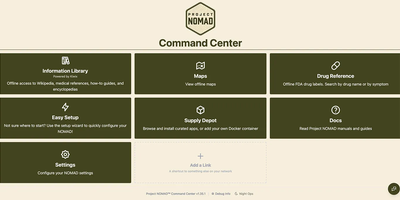
When the connection drops, Project NOMAD keeps serving offline Wikipedia, Khan Academy courses, maps, and an optional private AI assistant from a single Debian-based Linux server. The core needs only about 5 GB of disk and under 1 GB of RAM. Content is what fills the drive, and a setup wizard sorts it into Essential, Standard, and Comprehensive tiers while a storage bar tracks the running total. Wikipedia runs from a quick-reference set of the top 100,000 articles to the complete English edition with images at about 121 GB, and Kiwix also serves medical references, survival and repair guides, and Project Gutenberg ebooks. Kolibri adds Khan Academy courses with multi-user progress tracking, and any browser on the network can study. Offline maps cover the whole globe, single countries, or regions, with markers you can search, color, and navigate to by coordinate. The AI assistant is the heavy part, bringing the install to roughly 25 GB. It chats through Ollama or any OpenAI-compatible server such as LM Studio, searches uploaded documents, lists sources with dates when known, and lets vision models read attached images. CyberChef handles encoding and hashing, and FlatNotes keeps Markdown notes. The Supply Depot adds one-click apps or your own Docker containers. Opt-in auto-updates for the Command Center, installed apps, and downloaded content run inside a window you set. Running on a dedicated VPS on RepoCloud with guaranteed CPU, RAM, and SSD, full root SSH access, and a browser serial console. Apache 2.0 licensed.
Modoboa
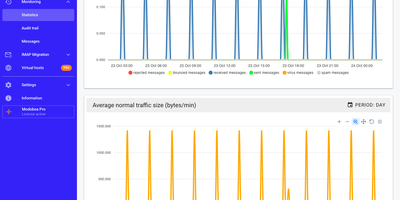
Modoboa turns a bare mail server into a managed hosting platform, with one web console for domains, mailboxes, aliases, and quotas, plus a full webmail for the people using them. Roles separate super administrators, resellers, domain administrators, and ordinary users, with caps on how many mailboxes and aliases each administrator may create and daily sending limits per domain or mailbox. The webmail offers conversation view, folder subscriptions, scheduled sending, attachments, and search across headers and message bodies. Calendars and address books sync with standard clients, and calendars can be shared. Each user writes Sieve filters and autoreplies in the browser. Deliverability checks cover MX records and DNSBL listings, DKIM keys are generated per domain, and DMARC aggregate reports become per-domain visual reports. Amavis quarantine pages and an Rspamd frontend help with spam. Traffic graphs show message volume. Accounts authenticate against the local database, LDAP, Active Directory, or an existing SMTP server, with TOTP codes or WebAuthn security keys as a second factor. Thunderbird and Outlook configure themselves through built-in autoconfig and autodiscover endpoints. An IMAP migration tool pulls mailboxes from another provider as each person signs in. Administrators can brand the console with custom logos, extend it through plugins, and automate it through a documented REST API. Running on a dedicated VPS on RepoCloud with guaranteed CPU, RAM, and SSD, full root SSH access, and a browser serial console. ISC licensed.
Navidrome
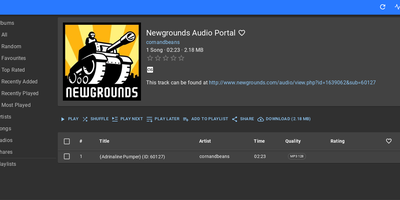
Spotify economics without the subscription or catalog gaps: Navidrome, the reference self-hosted music server, streams your own FLAC, MP3, and ALAC collection from a single Go binary with a React/Material UI web player. Its Subsonic/OpenSubsonic API compatibility is the superpower: 50+ existing clients work out of the box, from Symfonium and DSub on Android to Feishin and Sonixd on desktop, plus Android Auto, CarPlay, and Android TV apps. Transcoding is server-managed and FFmpeg-backed - FLAC direct-plays at home and downsamples to MP3, AAC, or Opus over mobile bandwidth, with the OpenSubsonic transcoding extension letting clients declare capabilities and receive per-track direct-play or transcode decisions automatically. Multi-user support gives every account its own play counts, favorites, ratings, and playlists, and multi-library support scopes different collections to different users. The feature list covers serious listening: Last.fm and ListenBrainz scrobbling, artist bios and images, embedded and external lyrics, audiobook bookmarks, saved play queues that resume on another device, internet radio, jukebox mode, and M3U playlist auto-import kept in sync with your folder. Resource usage is famously low - it runs happily on a Raspberry Pi and scales to six-figure track counts.
Sonarr
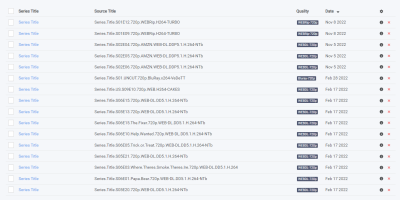
Add a series once, set a quality profile, and everything downstream is automated: Sonarr is the smart PVR for Usenet and BitTorrent users. It monitors RSS feeds from your indexers, detects new episodes the moment they release, sends matching grabs to SABnzbd, NZBGet, qBittorrent, Deluge, or another download client, then renames files with fully configurable templates, sorts them into consistent folder structures, and notifies Plex, Kodi, or Jellyfin to update the library. Quality profiles define what's acceptable (HDTV, WEB-DL, Blu-ray, up to 4K) and an upgrade cutoff - when a better release appears, Sonarr replaces the existing file automatically, stepping from HDTV to WEB-DL to Blu-ray until the cutoff is met. Custom formats add weighted scoring for finer-grained release selection, with community-maintained TRaSH Guides presets as the widely accepted defaults. Failed downloads are handled without intervention: Sonarr retries with another release, and manual search shows every candidate with the reasons any was rejected. It scans existing libraries for missing episodes, fully supports specials, multi-episode files, and daily and anime series types, and a calendar view shows upcoming episodes across every tracked show. Runs on Linux, Windows, macOS, and Raspberry Pi, and pairs naturally with Prowlarr for centralized indexer management.
Infisical
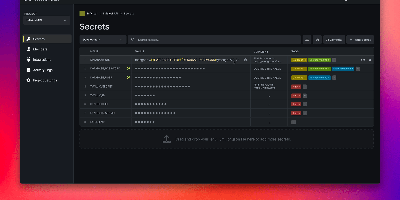
API keys hardcoded in repos, database passwords pasted into CI variables, .env files emailed between developers - Infisical, the open-source platform for secrets, certificates, and privileged access management, is the answer to all three. Secrets live in versioned stores scoped by project, environment, and path, with fine-grained identity-aware access control and full audit logging on every read and change. Delivery covers every consumption pattern: CLI injection into local dev, SDKs for Go, Node.js, and Python, an HTTP API, agents, a Kubernetes Operator, and secret syncs that push to GitHub, GitLab, AWS Secrets Manager, and Vercel. Automatic rotation replaces credentials for PostgreSQL, MySQL, MSSQL, LDAP, AWS IAM, and Azure on a rolling schedule - new credentials issue while old ones stay temporarily valid, so nothing breaks mid-rotation. Dynamic secrets go further, generating ephemeral, time-bound database credentials on demand, and SSH access replaces static keys with short-lived CA-signed certificates that expire automatically. Secrets scanning catches hardcoded credentials in code and pipelines, certificate management automates X.509 issuance and renewal, and a built-in KMS handles encrypt/decrypt with central key control. Self-hosting keeps the keys to everything else on your own infrastructure.
Datasette
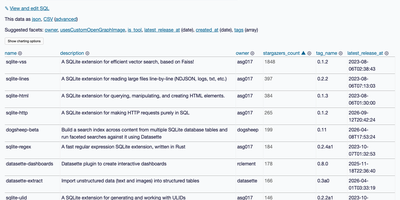
Datasette turns a database into an interactive website and JSON API, so anyone can browse, filter, and query the data without a custom backend. Point it at SQLite files and each table gets a page with sortable columns, per-column filters, full-text search where it is enabled, and facets that tally the values in a column, including array and date columns, with suggested facets surfaced automatically. Rows have their own URLs, foreign keys become links, and a row that other tables reference links to a filtered list of those records. A "View and edit SQL" link turns whatever filters you applied into an editable query, and visitors with permission can run read-only SQL with named parameters. Useful queries save as canned queries with their own URLs, and writable canned queries add forms that insert or update rows. Every page comes as JSON and as streaming CSV. A metadata file adds titles, licenses, sources, column descriptions, units, default sort orders, and hidden tables. Access rules can apply to the whole instance or a single database, table, or query. Plugins add charts, maps for latitude and longitude columns, Atom feeds, GitHub sign-in, and custom output formats. Custom templates, CSS, and static files carry your branding. SpatiaLite support adds geospatial queries, and datasette publish deploys to Google Cloud Run, Heroku, Vercel, or Fly. Running on a dedicated VPS on RepoCloud with guaranteed CPU, RAM, and SSD, full root SSH access, and a browser serial console. Apache-2.0 licensed.