portracker
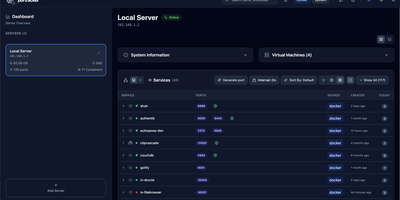
No spreadsheet has to track which service owns which port, because portracker discovers every service and port on your servers and keeps the list current from a self-hosted dashboard. Begin with a single port, shown with its owning service, its source (Docker or the host system), and its address, with internal container ports told apart from ports published to the host. Step back and ports gather into services: expandable cards carrying an icon, a health dot, and a port count, in list, grid, or table layouts, where a Why this status popover names the failing component and the rule that fired. Step back again and each server gets its own panel with hostname, OS, CPU, memory, and uptime, plus TrueNAS apps, VMs, and LXC containers once an API key is added. Step back once more and the whole fleet appears, because other portracker instances can be linked as peers, a VM's instance can be nested under its host, and every server can be searched at once. Along the way, rename services, hide the noisy ones, attach notes, act on a selection in bulk, or press Generate port for an unused number before deploying something new. Optional sign-in with a first-run setup wizard, an autoxpose link that shows public URLs and SSL status, light and dark themes, and keyboard shortcuts finish the picture. Running on a dedicated VPS on RepoCloud with guaranteed CPU, RAM, and SSD, full root SSH access, and a browser serial console. MIT licensed.
HolyClaude
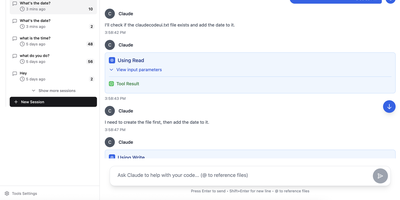
With 2,400+ GitHub stars, HolyClaude replaces a two-hour manual setup process with a single docker compose up command that launches a fully configured AI coding workstation. The container ships with Claude Code pre-installed alongside seven additional AI CLIs — Gemini CLI, OpenAI Codex, Cursor, TaskMaster AI, Junie, OpenCode with OpenRouter multi-provider support, and Pi Coding Agent — all accessible through the CloudCLI browser-based web interface on port 3001. A headless Chromium browser running on Xvfb display :99 comes pre-configured with Playwright 1.61 for automated screenshots, testing, and web scraping without additional setup. The development toolchain includes Node.js 26, Python 3, TypeScript, git, GitHub CLI, database clients for PostgreSQL, SQLite, and Redis, plus deployment CLIs for Vercel, Wrangler, Netlify, and Azure. Process management uses s6-overlay for automatic restarts and graceful shutdown, while bind mounts to ./data/claude and ./workspace ensure credentials, configuration, and project files persist across container rebuilds. The full image supports AMD64 and ARM64 architectures, running on Linux, macOS with Docker Desktop, Windows with WSL2, and Synology or QNAP NAS hardware. A slim tag at roughly 2GB omits the browser stack for environments that do not need it, while the full image at 4GB includes everything. Users authenticate with their existing Anthropic account directly through Claude Code with no credential relay or proxy involved. Running on a dedicated VPS on RepoCloud with guaranteed CPU, RAM, and SSD, full root SSH access, and a browser serial console. MIT licensed.
Harbor
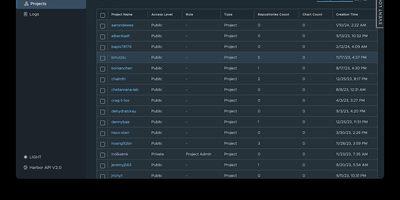
The first container registry to reach CNCF graduated status with over 29,000 GitHub stars since VMware open-sourced it in 2016, Harbor transforms the basic Docker Distribution into a hardened enterprise registry with vulnerability scanning, supply chain signing, multi-datacenter replication, and project-level access control out of the box. Trivy scans every pushed image against the NVD, GitHub Advisory Database, and distribution-specific vulnerability feeds, with scan-on-push policies that block deployment of images exceeding configurable severity thresholds. Artifact signing through Cosign keyless signatures and Notation enforces content trust policies ensuring only cryptographically verified images reach production clusters. Policy-based replication synchronizes images and Helm charts between Harbor instances across multiple datacenters using repository, tag, and label filters with automatic retry and bandwidth throttling — enabling hybrid-cloud and disaster-recovery topologies. The RBAC model isolates projects with per-project quotas, robot accounts for CI/CD automation, webhook notifications, and audit logging that tracks every pull, push, delete, and configuration change. LDAP, Active Directory, and OIDC authentication integrate with existing identity providers, while the proxy cache transparently caches images from Docker Hub, Quay, and other upstream registries to reduce pull latency and rate-limit exposure. The RESTful API with embedded Swagger UI, tag retention policies, garbage collection scheduling, and immutable artifact rules complete the lifecycle management. Deploy via Docker Compose or Helm Chart on Kubernetes. Running on a dedicated VPS on RepoCloud with guaranteed CPU, RAM, and SSD, full root SSH access, and a browser serial console. Apache 2.0 licensed.
Dockge
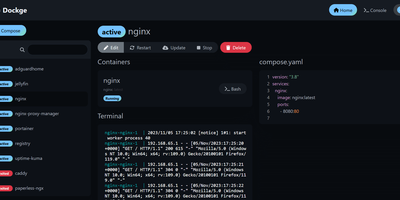
Created by the developer behind Uptime Kuma and carrying over 23,000 GitHub stars, Dockge brings the same clean, reactive design philosophy to Docker Compose stack management with a web interface that makes Portainer's compose handling feel like editing YAML in a terminal over SSH. The interactive editor provides syntax highlighting, inline validation, and a live preview of your compose.yaml files while keeping every stack stored as a standard file on disk in /opt/stacks by default, meaning you can seamlessly switch between the web UI and the docker compose CLI without lock-in or proprietary database formats. Real-time WebSocket updates stream pull progress, container start/stop transitions, and build output directly to the browser with no polling delays. The built-in web terminal opens a shell session inside any running container for quick debugging, while the docker-run-to-compose converter transforms single-container run commands into proper compose.yaml definitions with one click. Multi-agent support introduced in version 1.4.0 connects multiple Docker hosts to a single Dockge dashboard, enabling centralized management of stacks distributed across different servers. Image update detection shows which stacks have newer versions available, and one-click updates pull the latest images and recreate containers without manual intervention. The stack is a single Docker container running on Node.js with Socket.IO for reactivity and stores no external database. Running on a dedicated VPS on RepoCloud with guaranteed CPU, RAM, and SSD, full root SSH access, and a browser serial console. MIT licensed.
Tugtainer
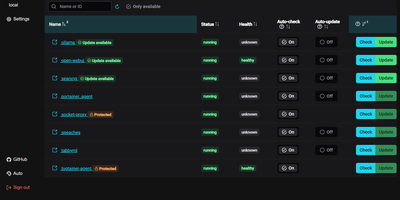
Tugtainer delivers a visual command center for Docker environments that automates container image updates, monitors registry releases, and manages application lifecycles across multiple servers without command-line intervention. System administrators can inspect running containers across all connected hosts, trigger immediate image pulls, and configure automated cron schedules for recurring health and registry checks. Flexible update policies allow teams to flag production databases as notification-only while automatically updating stateless web applications whenever new image tags publish. When updating linked services, the platform analyzes Docker Compose project definitions and custom dependency labels to stop and restart containers in strict dependency order, preventing broken network links and orphaned volume mounts. Administrators can authenticate private container registries, browse image layers and tags, and view real-time container log streams directly within the browser console. Automated pruning jobs continuously reclaim server disk space by deleting obsolete, untagged images and dangling build layers after successful deployments. Multi-channel alerting integrates with over fifty notification providers, delivering real-time update summaries and error warnings directly to Discord, Telegram, Slack, and email webhooks. Running on a dedicated VPS on RepoCloud with guaranteed CPU, RAM, and SSD, full root SSH access, and a browser serial console. MIT licensed.
Komodo
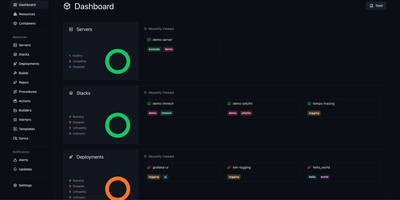
Komodo puts every server, container, and deployment pipeline behind a single dashboard where you build, ship, and monitor Docker workloads across unlimited hosts. Lightweight stateless agents install on each connected server and report CPU, memory, and disk metrics back to the Rust-powered core, giving you real-time visibility without heavyweight monitoring stacks. Docker Compose stacks deploy directly from the UI or link to Git repositories with webhook-triggered automatic redeploys on push. A built-in CI pipeline compiles versioned Docker images from source, with optional AWS spot instances for burst build capacity. For orchestration at scale, Docker Swarm management handles node configuration, service deployment, and multi-node stack orchestration from the same control plane. Browser terminal sessions open persistent named shells on servers and inside containers, complete with shared team access and scriptable Actions that chain executions into multi-stage procedures. Infrastructure-as-code support defines all resources declaratively in TOML files within a Git repository, keeping production state version-controlled and auditable. Granular role-based access control with user groups, per-resource permissions, and OAuth through GitHub and Google keeps teams operating within defined boundaries. A full OpenAPI specification, dedicated CLI, and typesafe client libraries for Rust and TypeScript make programmatic integration straightforward. With 12,000+ stars and active development, the community continues expanding multi-architecture builds and Swarm tooling.
DockNest
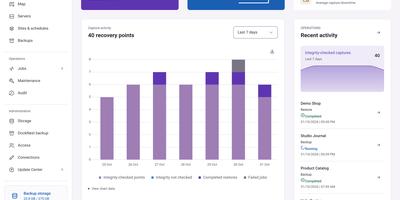
A backup nobody has restored is only a hope, so DockNest backs up your Docker sites to storage you own and proves each one by restoring it to a private copy. It connects to your Linux servers over SSH and finds the Docker projects and static nginx sites on them. Schedules, retention, and pinned backups are set per site. A Map page draws your servers, sites, and backup storage as connected nodes, and dragging a site to another server moves it, with a backup first and the old copy kept stopped for seven days. Jobs show live progress, a step timeline, and plain-language reasons when something fails. Automatic restore tests bring the latest backup up on a test server and check it. Hardening scores grade each site from A to F with a fix for every finding, and server cleanup previews reclaimable space before anything is removed. Alerts reach Telegram, Slack, Discord, email, ntfy, and many more channels. Backups are encrypted with AES-256-GCM, sign-in needs an authenticator app, and the interface offers light and dark themes plus a phone layout. Running on a dedicated VPS on RepoCloud with guaranteed CPU, RAM, and SSD, full root SSH access, and a browser serial console. AGPL-3.0 licensed.
DockPanel
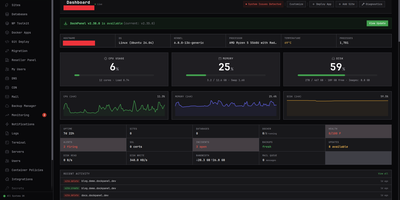
Created in March 2026 and rapidly gaining traction in self-hosting communities, DockPanel delivers the most feature-dense free server panel available — 811 API endpoints, 153 one-click Docker app templates across 14 categories, and full multi-server management, all running on three Rust binaries consuming under 50MB of combined RAM. The panel handles the complete server lifecycle: sites with automatic SSL via Let's Encrypt, MySQL and PostgreSQL databases in Docker containers, Git push-to-deploy using Nixpacks for automatic language detection without Dockerfiles, blue-green zero-downtime deployments with automatic rollback on failed health checks, DNS management, mail servers, monitoring dashboards, and encrypted backups to S3, SFTP, Backblaze B2, or Google Cloud Storage. Security receives production-grade attention with per-image CVE scanning that gates deployments, a built-in WAF, passkey authentication alongside Argon2 password hashing, HttpOnly JWT sessions with blacklist-on-logout, rate limiting on auth endpoints, and fail2ban integration — all verified through an 18-vulnerability pentest with zero remaining issues. Infrastructure as Code support exports your entire server configuration to YAML, and the developer CLI provides status, diagnose, and export commands for automation. GPU passthrough enables AI workload hosting, reseller accounts support white-label branding for agencies, and ARM64 compatibility covers Raspberry Pi and Oracle Cloud free-tier deployments. Running on a dedicated VPS on RepoCloud with guaranteed CPU, RAM, and SSD, full root SSH access, and a browser serial console. AGPL-3.0 licensed.
CashPilot
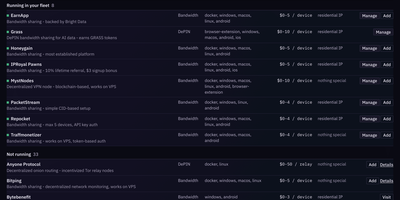
Idle bandwidth and spare hardware earn nothing sitting unused, so CashPilot deploys passive-income services across your servers and shows every balance in one web dashboard. From the catalog you start Docker earners such as Honeygain, Earn.fm, Traffmonetizer, PacketStream, ProxyRack, MystNodes, Storj, and Sia hostd with one click, no compose files to write, and you can add any service the catalog lacks by image name under the same container restrictions. Providers that run as browser extensions, desktop apps, or GPU nodes, 24 of them, are tracked alongside, while 15 built-in collectors read balances every hour into a single earnings history, so a service that runs without earning shows up as a flat line instead of a surprise. When a balance drops, CashPilot treats it as a probable payout and asks you to confirm rather than counting income by guesswork. One worker runs on each server under a single dashboard, with every figure broken down per server and per service. Extra copies of a service can earn through SOCKS5, HTTP CONNECT, or Tailscale exit-node proxies and stop dead if the proxy dies instead of leaking your real address. Earners are fenced off from your LAN, the host, your tailnet, and cloud metadata by default, and per-service guides flag restrictions such as providers that ban datacenter IPs. Running on a dedicated VPS on RepoCloud with guaranteed CPU, RAM, and SSD, full root SSH access, and a browser serial console. GPL-3.0 licensed.
Infinite OS
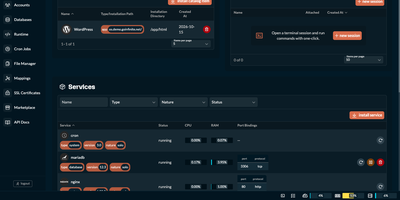
Infinite OS packs a complete hosting environment into a single Docker container, and you decide what it hosts after it starts. From the dashboard you add the runtimes, databases, domains, and applications that a normal image would have forced you to choose at build time. Open the Marketplace and WordPress, n8n, or dozens of other applications install in a few clicks, dependencies and services included, with a hostname and route created automatically. PHP, Node.js, Bun, Python, Ruby, and Java runtimes install on demand beside databases and workers, so one project runs its whole stack inside one environment. Public domains get free TLS certificates automatically, and changing the primary domain once updates the web server, PHP, and database records to match. The built-in web terminal needs no SSH setup, and a coding agent such as OpenCode can work there with the project files, runtimes, and databases within reach. A file manager, cron scheduler, PHP version switching, and per-route rate, bandwidth, and connection limits cover the daily work of running sites from the browser. Team accounts give each person their own login, and nearly every dashboard action has a matching CLI command and REST API call for scripting. Each project gets its own container with its own filesystem and services, so unrelated sites stay isolated while several lightweight environments share one machine. Running on a dedicated VPS on RepoCloud with guaranteed CPU, RAM, and SSD, full root SSH access, and a browser serial console. EPL 2.0 licensed.
MaxKB
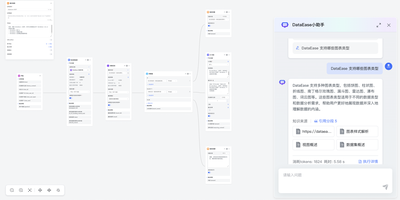
Support teams, IT departments, and researchers can put their own documents behind chatbots and AI agents built with MaxKB, an open-source platform that grounds answers in private knowledge. A support lead starts by uploading Markdown, DOCX, PDF, TXT, HTML, XLSX, XLS, or CSV files, or by syncing a web site, and MaxKB splits, vectorizes, and indexes the content on its own. An IT department can place the finished agent in any third-party site or internal tool with no coding, as a full-screen page, a mobile view, or a floating chat window. Researchers get replies that show, and let them download, the knowledge sources behind each answer. Simple agents pick tools, skills, and MCP connections from the question itself, while advanced agents are drawn as workflows with branching, multi-path recall, loops, and variables. Custom scripts, which AI can help write, plus schedules and event triggers extend what an agent can do. The model manager registers local models such as DeepSeek, Llama, and Qwen beside providers such as OpenAI, Claude, and Gemini, across language, embedding, reranking, vision, speech, and image generation. Conversation logs feed analysis for operations. Dozens of ready-made agent templates, knowledge base templates, tools, and skills in the template center and tool store shorten the first build. Running on a dedicated VPS on RepoCloud with guaranteed CPU, RAM, and SSD, full root SSH access, and a browser serial console. GPL-3.0 licensed.
ServerBee
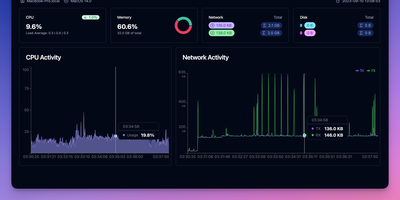
ServerBee delivers complete fleet monitoring from a single Rust binary that embeds both the server and web UI, requiring no external database or heavy runtime. Lightweight agents installed on each node stream CPU, memory, disk, network, load, temperature, GPU, and disk I/O metrics over persistent WebSocket connections to a central server backed by embedded SQLite. The real-time React dashboard presents 17 drag-and-drop widget types across custom layouts, with historical charts spanning one hour to 30 days and monthly traffic statistics with billing-cycle prediction and cost insights including burn rate and per-resource unit cost scoring. Network monitoring covers ICMP, TCP, and HTTP ping probes, service monitors for SSL certificates, DNS records, HTTP keyword matching, TCP ports, and WHOIS expiration, plus network-quality probing across 96 China 3-ISP and international presets with IP-quality and streaming-unlock detection. Remote management features include a web terminal with sandboxed file manager, Docker container stats with logs and events, firewall configuration, and agent auto-update capabilities. Public status pages display 90-day uptime timelines, while alerting supports email and webhook notifications with flexible trigger expressions. A native iOS companion app provides mobile monitoring access. Deploy via Docker or download the single binary for Linux, macOS, or Windows, running on a dedicated VPS on RepoCloud with guaranteed CPU, RAM, and SSD, full root SSH access, and a browser serial console. AGPL-3.0 licensed.
Cap
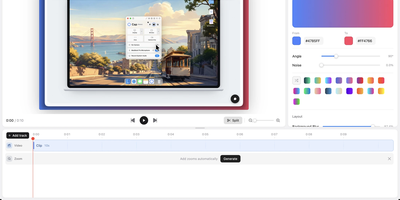
Cap is an open-source screen recorder with a built-in sharing site, so the explanation you would have booked a call for becomes a link someone can watch whenever it suits them. Pick Instant Mode when speed matters: choose a screen, window, or area, add your camera and microphone, and the video uploads while you record, so the share link is ready the second you stop. Pick Studio Mode when polish matters: Cap records locally at up to 4K and 60 frames per second, keeps screen and camera as separate tracks, and opens an editor for trimming, backgrounds, zooms, captions, and export to MP4 or GIF. Whichever mode made it, a shared video lands on a page that plays in any browser, where viewers can leave comments and reactions. Owners can keep a video private or protect it with a password, and team workspaces keep a shared library organized. Share pages come from your own domain, and recordings live in the bundled object store or any S3-compatible bucket. Connect a transcription and AI provider to add transcripts, titles, summaries, and clickable chapters. Bug reports, product demos, onboarding walkthroughs, design reviews, and async standups all shrink to a short recording and a link. The desktop apps for macOS, Windows, and Linux connect to your server through a single Cap Server URL setting. Running on a dedicated VPS on RepoCloud with guaranteed CPU, RAM, and SSD, full root SSH access, and a browser serial console. AGPL-3.0 licensed.
1Panel
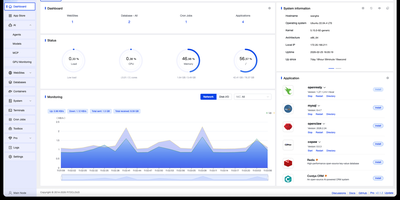
Backed by over 36,000 GitHub stars and 120 contributors with 123 releases since 2022, 1Panel has rapidly become the go-to open-source alternative to cPanel and Plesk for modern Linux server management. The platform delivers a clean Vue.js dashboard powered by a Go backend using the Gin framework, providing visual management of Docker containers, images, networks, and volumes without touching the command line. Its curated app marketplace offers one-click installation of 165+ trusted open-source applications including Nextcloud, Bitwarden, Umami analytics, WordPress, and NocoBase, each running in isolated containers for maximum security. Native AI capabilities set 1Panel apart from every competing panel: deploy Ollama LLMs directly from the dashboard, spin up OpenClaw personal agents, monitor GPU utilization, and manage AI models through a unified interface. Website management includes automatic domain binding, Let's Encrypt SSL certificate provisioning, and Nginx configuration with zero manual setup. Security runs deep with built-in firewall rules, fail2ban integration, container isolation, WAF protection, and comprehensive audit logging enabled from day one. Automated backups support AWS S3, Cloudflare R2, and local storage with one-click restore from any snapshot. The panel supports Debian, Ubuntu, CentOS, and Rocky Linux across x86_64, aarch64, armv7l, ppc64le, and s390x architectures. Running on a dedicated VPS on RepoCloud with guaranteed CPU, RAM, and SSD, full root SSH access, and a browser serial console. GPL-3.0 licensed.
OmniSight
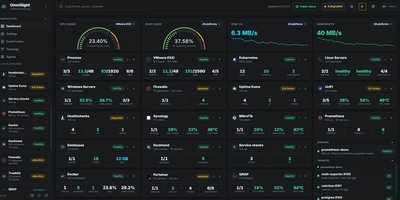
OmniSight ends the homelab ritual of a dozen admin panels open in a dozen tabs, each with its own login and its own idea of what healthy looks like. It folds all of them into one page that answers the only question you actually have: is everything fine? Watch Proxmox nodes with their VMs, containers, backup status, and Ceph health next to VMware hosts and datastores, Linux and Windows servers, and Kubernetes pods with live log viewing. Add Docker hosts and see container status, ports, resource use, and image updates, check OPNsense firewalls, TrueNAS and QNAP storage, and PostgreSQL, MySQL, and MongoDB databases without leaving the dashboard. A small push agent installs with one copied command and self-registers within seconds, needing no inbound firewall rules, so machines behind NAT report in on their own. Follow relationships on the topology map, restart a service from the detail view, export a full backup, and publish a read-only public status page for anyone who asks how things are running. Running on a dedicated VPS on RepoCloud with guaranteed CPU, RAM, and SSD, full root SSH access, and a browser serial console. GPL-2.0 licensed.
Traefik Manager
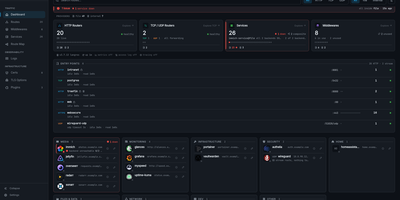
Where Traefik's built-in dashboard only shows what is running, Traefik Manager lets you change it: add routes, middlewares, and services from forms and wizards instead of editing YAML by hand. A first-run wizard connects to the Traefik API, creates a route for the manager itself, and sets the admin password. After that, the dashboard turns every route into a launchable app card with live health, and the Route Map draws each request from entry point through middlewares to backend. New routes use a slide-in form for HTTP, TCP, or UDP with several domains and backends, sticky sessions, and health checks. 30 middleware wizards handle authentication, rate limiting, headers, CORS, and redirects, and weighted, mirroring, or failover services can be built on their own. For day-to-day monitoring, the Certificates tab tracks expiry from acme.json, the Logs tab turns the access log into clickable analytics, the CrowdSec tab lists attacks and bans, and alerts reach Discord, Slack, ntfy, Telegram, and more. Changes to traefik.yml apply with a one-click restart, every edit is backed up locally and can be pushed to a git repository, and a lightweight agent brings remote Traefik servers into the same interface. Sign in with TOTP two-factor or OIDC single sign-on, in any of 14 languages. Running on a dedicated VPS on RepoCloud with guaranteed CPU, RAM, and SSD, full root SSH access, and a browser serial console. GPL-3.0 licensed.
Mediarium
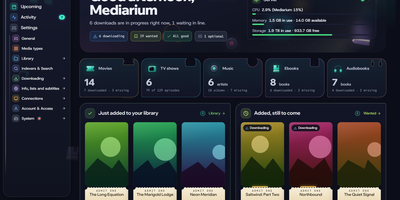
Find a title tonight and wake up to it named, filed, and ready to play: Mediarium is a self-hosted media manager that finds, downloads, repairs, and organizes movies, TV, music, ebooks, and audiobooks from one web page on your own server. Search once and it queries your Usenet and torrent indexers together, grabs the best release, unpacks it, applies your naming rules, and places it where Plex, Jellyfin, or Emby expects it. Quality profiles with upgrades and fallbacks keep hunting better copies automatically, while delay profiles, a blocklist with retries, and tags such as Kids or 4K keep the wrong releases out and collections tidy. Subtitles are matched to your exact file, with a timing fix when one runs out of sync. Family accounts carry permissions of their own: relatives who cannot add titles send requests you approve, and watch history read from your media server drives statistics and optional cleanup rules. The built-in Books app reads ebooks, plays audiobooks chapter by chapter, remembers your place everywhere, and even opens Kindle books. Torrents can run behind a built-in WireGuard VPN with a kill switch, downloads repair and unpack themselves, and notifications, backups, and a post-import script keep the routine invisible. Moving over reads your Radarr, Sonarr, Prowlarr, SABnzbd, and other existing setups without changing them. Running on a dedicated VPS on RepoCloud with guaranteed CPU, RAM, and SSD, full root SSH access, and a browser serial console. AGPL-3.0 licensed.
CapRover
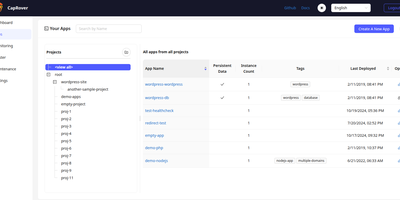
With over 15,000 GitHub stars and nearly nine years of active development, CapRover is the self-hosted PaaS that replaces Heroku's pricing with your own infrastructure while keeping the deploy-and-forget simplicity. The web dashboard manages application lifecycle from deploy through scaling — configure custom domains, environment variables, persistent volumes, instance counts, and nginx templates without touching config files or SSH. The CLI tool enables scriptable deployments with a single command from your terminal or CI/CD pipeline, while webhook-based deployment triggers automated builds from Git pushes. The one-click app marketplace provides over 100 pre-configured services including WordPress, Ghost, PostgreSQL, MySQL, MongoDB, Redis, Grafana, Portainer, and dozens more, each deployed as a Docker container with volumes and environment variables preconfigured. Automatic HTTPS provisions and renews Let's Encrypt certificates for every custom domain with one-click HTTP-to-HTTPS redirects. Under the hood, Docker Swarm orchestrates containers across multiple nodes for horizontal scaling and load balancing, while nginx handles routing with fully customizable EJS-generated configuration templates per application. Deployment supports four methods: CLI push, tarball upload through the web UI, Docker image reference, and Git repository connection. The build system supports Dockerfiles, captain-definition files with build packs, and direct Docker image pulls. NetData integration provides real-time server monitoring dashboards. Running on a dedicated VPS on RepoCloud with guaranteed CPU, RAM, and SSD, full root SSH access, and a browser serial console. Apache 2.0 licensed.