Minecraft Server Manager
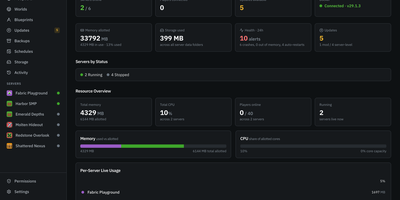
One Minecraft server is easy, but a Fabric test world, a Paper survival realm, and a Forge modpack on the same machine need a proper control room. Minecraft Server Manager runs every server as its own resource-capped container and offers create, start, stop, restart, rebuild, and delete from the browser, with a graceful RCON stop and crash detection. A guided wizard offers Simple and Advanced modes with plain-English help. Modpacks stay pinned to an exact version, and upgrades come with a preview, an automatic backup, health monitoring, and one-click rollback. Search Modrinth, CurseForge, Hangar, SpigotMC, and GitHub Releases from one browser, add mods by link, or import .mrpack files and zips, with checksum-verified downloads. A live console streams logs with filters and an RCON command bar, and player tools cover whitelists, ops, bans, IP bans, and teleports. Cron schedules run restarts, backups, and RCON commands, backups follow retention rules, and storage analytics enforce disk quotas. Crash reports are parsed and can be shared to mclo.gs for automated insights, and blueprints export a server as a recipe. A one-click BlueMap live map and an optional public status page show the world off. Admin, operator, and viewer roles with per-server permissions keep helpers in their lane. Friends-only survival worlds, modded community realms, and hosts running many test servers are what it was built for. Running on a dedicated VPS on RepoCloud with guaranteed CPU, RAM, and SSD, full root SSH access, and a browser serial console. MIT licensed.
Arcane
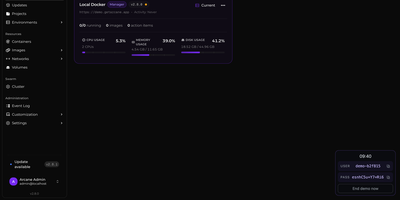
Arcane gives you a single polished dashboard to manage Docker containers, images, volumes, networks, and Compose projects across unlimited remote hosts. The SvelteKit frontend paired with a Go backend delivers real-time resource monitoring with historical graphs, container lifecycle controls including shell exec and live log streaming, and one-click Docker Compose deployment with Git repository synchronization for version-controlled stack definitions. The manager-agent architecture connects remote environments via Direct TCP on port 3553 or Edge mode where agents initiate outbound gRPC/WebSocket connections through NAT and firewalls without requiring inbound ports, all secured with mTLS certificates. Vulnerability scanning identifies security issues in running container images directly from the interface. The backup system enables scheduled container snapshots with configurable retention for disaster recovery. Network and volume administration includes visual relationship mapping between services, and the responsive interface supports dark/light themes with full mobile optimization and community-driven internationalization via Crowdin. 6,500+ stars and 89 releases since April 2025 reflect a rapid development cadence. Running on a dedicated VPS on RepoCloud with guaranteed CPU, RAM, and SSD, full root SSH access, and a browser serial console. BSD-3-Clause licensed.
Sencho
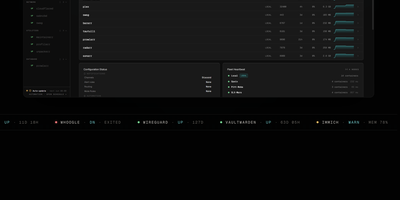
With over 430 GitHub stars and designed for DevOps engineers, platform teams, and homelab operators, Sencho is the self-hosted Docker Compose control plane that gives you a real operational cockpit without abandoning file-on-disk compose workflows. The web dashboard provides live CPU, memory, and disk sparklines per container, one-click start/stop/restart controls, and a Monaco-powered YAML editor with syntax highlighting, inline diff, and one-click rollback. Compose files remain the source of truth on the host filesystem. Multi-node management connects remote Sencho instances via authenticated HTTP and WebSocket proxy using long-lived API tokens, with no SSH access or exposed Docker sockets required. The Pilot Agent establishes an outbound-only WebSocket tunnel for nodes behind NAT, CGNAT, or strict firewalls. Blueprints define compose intent once and deploy it across label-targeted nodes, with drift detection keeping the fleet aligned. Fleet Federation provides cordon and pin controls for maintenance windows, while Fleet Actions execute bulk deploy, stop, and restart operations by stack label across the entire infrastructure. The security suite includes Trivy vulnerability scanning, deploy enforcement policies, SARIF and SBOM export, and Fleet Sync to replicate scan policies across replicas. Additional capabilities include 199+ one-click app templates, Git source integration, atomic deploys with auto-rollback, auto-heal, scheduled operations, webhooks, and custom S3 off-site backups to MinIO, R2, B2, or AWS. Running on a dedicated VPS on RepoCloud with guaranteed CPU, RAM, and SSD, full root SSH access, and a browser serial console. AGPL-3.0 licensed.
Drydock
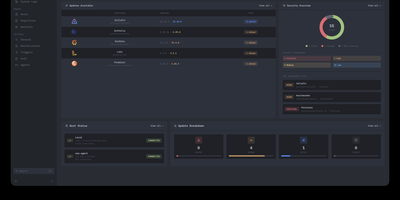
Deploying container updates without blind surprises is what Drydock delivers through a monitor-first inspection plane that evaluates image registries, scans CVE vulnerabilities, and automates rollbacks across distributed Docker infrastructure. Systems engineers track container fleets across twenty-three public and private registries including Docker Hub, GitHub Container Registry, Harbor, and Quay using cursor-based pagination and semver classification. The integrated Update Bouncer runs Trivy and Grype static scanners against incoming candidate layers, blocking deployments that fail configurable CVE severity policies while verifying cryptographic signatures through cosign. Operators configure declarative update schedules with stabilization countdown gates that hold back brand-new releases until defined burn-in periods elapse. When updates execute, Drydock creates pre-upgrade container snapshots and evaluates post-launch container health checks, instantly restoring previous image digests and network configs if failures occur. Distributed Portwing edge agents stream live container output and system logs over encrypted WebSockets, allowing central consoles to coordinate remote daemon updates without opening inbound host firewall ports. Automated event triggers dispatch granular notifications and update payloads across seventeen communication channels including Slack, Discord, Telegram, and Home Assistant MQTT brokers. Running on a dedicated VPS on RepoCloud with guaranteed CPU, RAM, and SSD, full root SSH access, and a browser serial console. AGPL-3.0 licensed.
HivePaaS
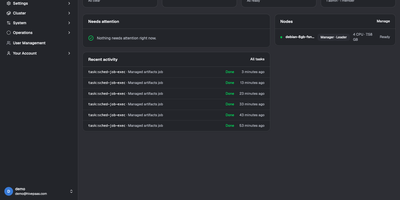
Turning a plain server into your own Heroku is what HivePaaS does: deploy apps from Git or Docker images, attach domains with automatic certificates, and manage everything from one dashboard. Push a repository and it builds with your Dockerfile, or generates one for more than 15 languages and frameworks, with deploy on push and pull request previews for review. Write functions in Node.js, TypeScript, Bun, Python, PHP, or Go and run them over HTTP or on a schedule without standing up separate services. Install databases, content systems, analytics, monitoring, and automation from an app store of more than 300 one-click templates. Give managed Postgres and MariaDB automatic backups, scheduled restores, and point in time recovery, and route traffic with redirects, basic auth, and IP or rate limits per app. Watch live logs, open a terminal inside containers, follow CPU and memory metrics, and scan running images for vulnerabilities with fixable findings first. Back up apps encrypted to S3 compatible storage, clone or export them, organize projects and environments with role based access and two factor authentication, and scale across multi node clusters with autoscaling and scheduled jobs. Running on a dedicated VPS on RepoCloud with guaranteed CPU, RAM, and SSD, full root SSH access, and a browser serial console. Apache-2.0 licensed.
Checkmate
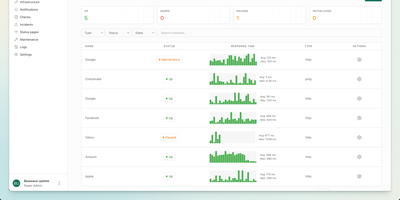
With 10,400 GitHub stars, 153 contributors, and no per-monitor pricing to worry about, Checkmate delivers comprehensive infrastructure monitoring from a single self-hosted dashboard — tracking uptime, page speed, server hardware, Docker containers, and even game servers without sending a byte of telemetry off your network. Ten monitor types cover HTTP, ping, TCP, gRPC, WebSocket, DNS, SSL certificate expiry, Docker container health, Lighthouse page speed with Core Web Vitals tracking, and game server status for over 100 server types including Minecraft and CS2. The Globalping integration enables geo-distributed monitoring from six continents, running ping and HTTP checks from Africa, Asia, Europe, North America, South America, and Oceania with results plotted on an interactive map. The optional Capture agent written in Go collects CPU, RAM, disk usage, temperature, and network metrics from any Linux, Windows, Mac, or Raspberry Pi host. Public status pages ship with four built-in themes and custom branding support, showing per-service uptime bars and incident history on a single shareable URL. Alert notifications reach teams through email, Discord, Slack, PagerDuty, Microsoft Teams, Telegram, Matrix, ntfy, Twilio SMS, and webhooks. Deploy via a single Docker Compose file requiring roughly 1 GB RAM — up and running in under five minutes on any Docker host. Running on a dedicated VPS on RepoCloud with guaranteed CPU, RAM, and SSD, full root SSH access, and a browser serial console. AGPLv3 licensed.
Yacht
Docker deployment reimagined as an app store: browse a visual catalog of applications, click to deploy with sensible defaults, and customize ports, volumes, and environment variables only when you need to. Point Yacht at any Portainer-compatible template JSON URL and it parses every application into a browsable, searchable interface with pre-configured settings ready for one-click launch. The template framework is fully decentralized — anyone can host template files on GitHub, a personal server, or any URL, creating a community-driven ecosystem of deployment packages without central gatekeeping. Template variables prefixed with ! automatically substitute server-level settings, so !config resolves to your configured path across every deployment without repetitive manual editing. The Python backend handles container lifecycle — start, stop, restart, kill, removal — while streaming real-time logs, providing browser-based shell access, and monitoring resource statistics through the Vuetify dashboard. Docker Compose stacks sit alongside individual containers in the same management interface. Advanced editing lets you modify port mappings, volumes, environment variables, and restart policies on running containers without redeployment. The develop branch introduces agent-managed remote host support for expanding management to additional Docker hosts. Authentication can be disabled for environments behind external proxies like Authelia or Traefik forward auth. Running on a dedicated VPS on RepoCloud with guaranteed CPU, RAM, and SSD, full root SSH access, and a browser serial console. CC-BY-4.0 licensed.
Runtipi
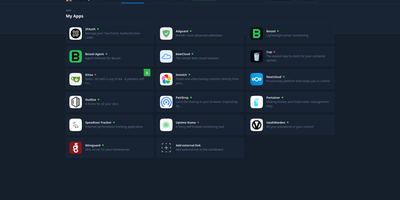
Runtipi makes any Linux server a personal app platform where installing services like Plex, Nextcloud, or Home Assistant takes a single click from a curated store of 265+ applications. With 9,500+ GitHub stars and 50 contributors, the React frontend backed by NestJS orchestrates Docker Compose projects for each installed app, automatically generating environment files, compose configurations, and Traefik reverse proxy labels for domain routing and SSL certificate provisioning via Let's Encrypt. The integrated Traefik reverse proxy handles all incoming traffic routing, HTTPS termination, and forward-auth protection for securing applications behind Runtipi's authentication layer without manual configuration. One-click updates notify administrators of new app versions and apply container image upgrades with automatic pre-update backup creation, while the restore feature rolls back application data to any saved snapshot. Custom app stores extend the ecosystem through Git repositories following the Runtipi app definition format, enabling organizations and communities to maintain private catalogs alongside the official store. The Docker Compose override system preserves user customizations across updates, allowing advanced modifications without losing changes. Architecture-aware filtering detects ARM64 or x86 platforms and displays only compatible applications. All apps deploy as standard Docker containers, and compose files can be exported for independent operation without lock-in. Running on a dedicated VPS on RepoCloud with guaranteed CPU, RAM, and SSD, full root SSH access, and a browser serial console. GPL-3.0 licensed.
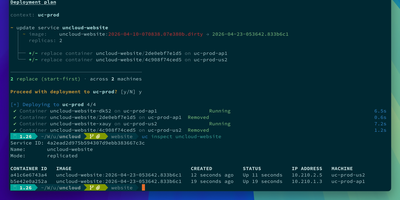
Uncloud
Scatter a few cheap VPS boxes, a home server, and one bare metal machine across three different providers, and Uncloud still treats them as a single place to run your applications. You describe services in ordinary Docker Compose files, deploy them with the uc command line tool, and publish any container port as a public HTTPS endpoint in a single command. Every machine joins an encrypted WireGuard mesh with its own container IP addresses, so services on different continents reach each other directly without VPN configuration or exposed ports. A built-in DNS server resolves service names to container IPs, and the integrated Caddy reverse proxy provisions and renews Let's Encrypt certificates automatically, sharing them across the cluster. Rolling updates replace containers with zero downtime, persistent Docker volumes keep stateful services safe, and the Unregistry integration pushes image layers straight to your machines when no registry is available. There is no control plane to babysit: each machine keeps a synchronised copy of the cluster state, and SSH access to any single node is enough to manage the whole fleet. Running on a dedicated VPS on RepoCloud with guaranteed CPU, RAM, and SSD, full root SSH access, and a browser serial console. Apache-2.0 licensed.
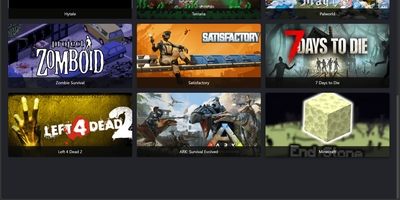
MCSManager
Hosting a Minecraft survival world, a Terraria server, and a Palworld host no longer means juggling SSH sessions and screen windows, because MCSManager puts every instance behind one web panel. A built-in marketplace installs game servers from ready-made templates, filtered by operating system and tagged with the Java version each one needs, while any Docker Hub image, uploaded ZIP archive, or plain process can run as an instance with its own start command, stop command, and live terminal. Docker instances get memory, CPU, port mapping, and volume settings, and each instance can auto start, auto restart, and run scheduled tasks. For Minecraft servers, the plugin and mod manager (Beta) searches Modrinth and CurseForge, and the file manager handles maps, configs, and uploads. Administrators create user accounts and assign instances to them, so friends or paying customers only see their own servers, which suits small hosting businesses that sell game servers. Extra machines join as nodes and connect to the same panel, and the drag-and-drop dashboard can be rearranged to taste. The interface supports many languages. Running on a dedicated VPS on RepoCloud with guaranteed CPU, RAM, and SSD, full root SSH access, and a browser serial console. Apache-2.0 licensed.
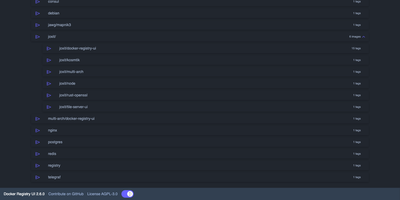
Docker Registry UI
Instead of querying a private registry with curl and its HTTP API, open Docker Registry UI and click through repositories, tags, digests, and layers in a browser. The catalog groups images by namespace, shows tag counts, and filters as you type in the search bar, which Ctrl+F or F3 focuses. Each repository's tag list shows creation date, size, content digest, and CPU architecture, sorts numerically, and copies a ready-made pull reference with one click. A history page expands any tag into its operating system, entrypoint, environment variables, exposed ports, and layer-by-layer build steps, and a Dockerfile view reconstructs the file from those steps. The same view also covers multi-architecture images and OCI Helm exports. When the registry allows deletion, tags go one at a time or in bulk with checkboxes, Alt+Click for a whole page, and Shift+Click for a range. One interface can switch between several registries from its menu, or be locked to a single registry with your own title. Basic authentication passes through the browser, and a built-in proxy option forwards requests to your registry container so CORS needs no configuration. Light, dark, and automatic themes come with color variables for custom branding, and a weekly notice announces newer releases. Running on a dedicated VPS on RepoCloud with guaranteed CPU, RAM, and SSD, full root SSH access, and a browser serial console. AGPL-3.0 licensed.
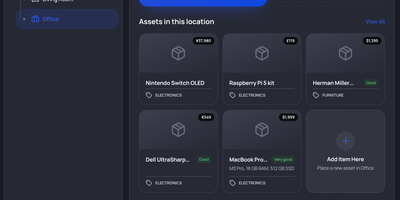
Attic
Somewhere in your home sits a box nobody has opened since the move, and Attic is the self-hosted home inventory that turns its contents from a mystery into a searchable record. You catalog appliances, tools, electronics, books, games, and furniture as assets, each with photos, receipts, manuals, purchase date and price, condition, and warranty dates attached. Nested locations mirror the house itself, rooms containing cupboards containing boxes, with photo galleries so you recognize a storage space on sight. Categories carry their own custom fields, inherited by subcategories, so electronics can demand a serial number while books ask for an ISBN. Items stored inside other items, like tools in a toolbox, are tracked as asset contents and move with their container. Collections group a game library or a moving box across locations, while tags label anything that needs repair or is out on loan. Adding stock is fast: import plugins pull metadata and cover images from Google Books, TMDB, BoardGameGeek, IGDB, and Rebrickable for LEGO sets. Search combines full-text with nested match-all and match-any filters, and saved searches pin to the sidebar as shortcuts. A history timeline records repairs and maintenance per asset, and the dashboard totals purchase value across currencies while flagging expiring warranties. OIDC single sign-on, scoped API keys, a REST API, and an MCP server connect Attic to scripts and agents. Running on a dedicated VPS on RepoCloud with guaranteed CPU, RAM, and SSD, full root SSH access, and a browser serial console. MIT licensed.
Dokku
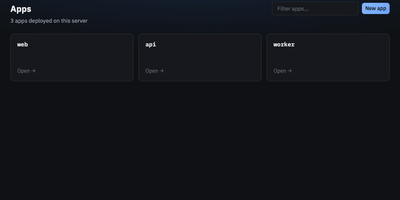
With over 32,000 GitHub stars and a decade of production use since 2013, Dokku is the original self-hosted Heroku alternative — a Docker-powered PaaS that turns any single Ubuntu server into a full application platform with a simple git push. Deploy applications written in Node.js, Python, Ruby, Go, Java, PHP, Scala, and Clojure using Heroku-compatible buildpacks, Cloud Native Buildpacks via pack-cli, standard Dockerfiles, or pre-built Docker images, with automatic language and framework detection handling the rest. Every deployment runs through zero-downtime checks that health-test new containers before routing traffic via the built-in Nginx reverse proxy, which handles virtual host configuration, WebSocket proxying, and HTTP/2 support automatically. The official plugin ecosystem provides managed datastores including PostgreSQL, MySQL, MariaDB, MongoDB, Redis, RabbitMQ, and Elasticsearch, each provisioned with a single CLI command and linked to apps via environment variables. Automated TLS certificates arrive through the Let's Encrypt plugin with auto-renewal, while persistent storage volumes, cron job scheduling, user ACL management, and process scaling round out the platform capabilities. The entire system is CLI-driven — no web dashboard — keeping resource overhead minimal enough to run multiple applications on a $5/month VPS. Dokku also supports Lambda function builds, custom builder plugins, and app.json-based healthcheck configuration for advanced deployment workflows. Running on a dedicated VPS on RepoCloud with guaranteed CPU, RAM, and SSD, full root SSH access, and a browser serial console. MIT licensed.
MirrorProxy
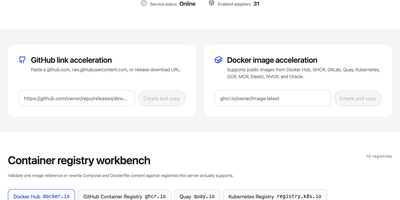
Stop hunting for a public mirror that still works this week: MirrorProxy puts every software source your builds depend on behind one domain you control, so GitHub releases, container images, npm and PyPI packages, and operating-system repositories all come from the same stable gateway. Point it at a source and it fetches and caches on demand, with no full mirror to store or sync, and when an upstream times out or starts rate-limiting, it fails over to the next endpoint and keeps your builds moving. Around thirty adapter types cover the everyday sprawl: Docker Hub and nine other registries, Cargo and Go modules, Maven and NuGet, Homebrew and WinGet, and more than thirty Linux and BSD distributions, plus custom static repositories you define yourself. Sharing the gateway is safe: invite users, set monthly quotas per person or team, restrict which sources each team may use, and gate access with rate limits and IP rules, while the console shows traffic trends, visitor regions, cache behavior, and the health of every source. Email and webhook alerts warn you before a quota runs out or an upstream outage drags on, and the cross-platform client switches a workstation's sources to your gateway and back. Running on a dedicated VPS on RepoCloud with guaranteed CPU, RAM, and SSD, full root SSH access, and a browser serial console. MIT licensed.
Floci
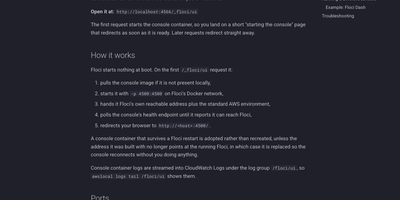
Floci is a local AWS emulator you run on your own server so your code can use S3, queues, Lambdas, and dozens of other AWS services without an AWS account, an auth token, or a bill quietly growing in another tab. Point the AWS CLI, SDKs, Terraform, CDK, or OpenTofu at port 4566 and keep the workflows you already have; every emulated service answers on that one endpoint, in any AWS region or partition. Existing LocalStack projects can swap the container image and keep going, because Floci accepts the same endpoint style and many of the same environment variables. Where emulation is not enough, real services come along too: RDS, ElastiCache, MSK, Neptune, DocumentDB, ECS, EC2, EKS, and CodeBuild run through actual Docker execution rather than a shallow stub, so tests meet behavior closer to production. A browser console starts on demand and lets you inspect the buckets, queues, tables, and other resources your emulator holds, without another tool to install. There is no telemetry, no credit meter, and no CI restriction; the whole feature set is the free set, ready for a developer laptop, a shared test host, or a pipeline runner. Running on a dedicated VPS on RepoCloud with guaranteed CPU, RAM, and SSD, full root SSH access, and a browser serial console. MIT licensed.
Pulse
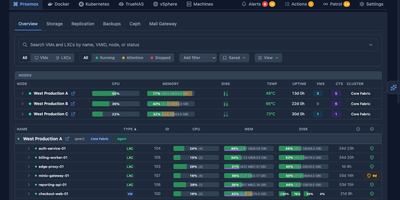
Pulse monitors your entire heterogeneous infrastructure from one screen: Proxmox VE, Proxmox Backup Server, Proxmox Mail Gateway, Docker, Podman, Docker Swarm, Kubernetes, TrueNAS SCALE/CORE, VMware vSphere, and standalone Linux/Windows/macOS machines. The Go binary embeds a SolidJS/TypeScript frontend, delivering WebSocket-driven dashboards with sub-second metric updates on port 7655. A unified agent auto-detects Docker, Podman, Kubernetes, and Proxmox on each host without manual configuration and self-updates silently, while Proxmox nodes need only API credentials with zero agent installation. Smart alerts use adaptive hysteresis-based thresholds to prevent notification floods, pushing to Discord, Slack, Telegram, Teams, email, ntfy.sh, Gotify, and generic webhooks with per-resource overrides. The standout feature is Pulse Patrol: scheduled AI health checks running every ten minutes to seven days using OpenAI, Anthropic, Gemini, or local Ollama models. Patrol catches silent backup failures, capacity creep, restart loops, unhealthy containers, and clock drift that dashboards miss when nobody is watching. Platform-specific views render Proxmox nodes, Ceph clusters, Docker Compose projects, Kubernetes workloads, TrueNAS pools, and vSphere VMs in familiar layouts. OIDC, SSO, and SAML authentication with credential encryption at rest secures access. 6,500+ stars and 441 releases since February 2025. Running on a dedicated VPS on RepoCloud with guaranteed CPU, RAM, and SSD, full root SSH access, and a browser serial console. MIT licensed.

Peach
Peach is a self-hosted video library manager that scrapes rich metadata for your own collection and serves it through a polished web player you can open on any device. Point it at local drives, SMB shares, mounted cloud storage, or a PikPak library and it scans everything into one browsable catalog without moving or modifying your files. The scraper recognizes video codes, reads existing NFO files, and fills in titles, performers, studios, and cover art from multiple sources while always preserving corrections you make by hand. Playback happens right in the browser with subtitle support, variable speed, rotation, resume points, and timeline previews you can scrub through before committing to a scene. A follow system tracks performers and creators so new releases surface automatically, and the discovery views plus a want list help you decide what to add next. When something is missing, search by video code or drop in a magnet link and completed downloads are filed into the library on their own. Tagging, duplicate detection, and multi-version grouping keep large collections tidy, while the task center lets you pause, resume, or cancel scans and downloads and watch their resource use as they run. Running on a dedicated VPS on RepoCloud with guaranteed CPU, RAM, and SSD, full root SSH access, and a browser serial console. AGPL-3.0-or-later licensed.
Beszel
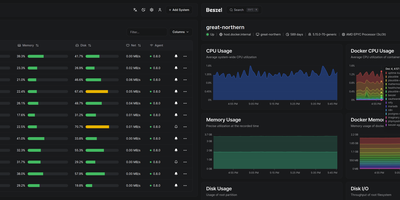
Reaching 24,000 GitHub stars within two years of its first commit in July 2024, Beszel delivers Netdata-grade monitoring dashboards from a single Docker container with no Prometheus stack, no external database, and no complex configuration — just a one-binary hub on PocketBase (SQLite embedded) and a sub-15 MB agent per host that auto-discovers Docker and Podman containers on contact. The agent connects outbound via WebSocket or SSH tunnel, requiring zero open ports on monitored servers and zero manual network configuration. Per-host metrics cover CPU usage, memory with swap and ZFS ARC breakdown, disk I/O across multiple partitions, network throughput, load average, sensor temperatures, battery charge, and GPU utilization with power draw for Nvidia, AMD, and Intel cards — features that competitors lock behind paid tiers. S.M.A.R.T. disk health including eMMC wear indicators and Linux mdraid array status surface hardware degradation before failures occur. Container statistics track CPU, memory, and network history per container with automatic discovery as new containers start. Configurable threshold alerts notify via email, Discord, Telegram, ntfy, Pushover, Gotify, Matrix, Mattermost, Signal, Slack, Microsoft Teams, and Twilio when metrics exceed defined limits. Multi-user accounts with OAuth/OIDC authentication let teams share monitored systems with role-based access, while automatic backups persist data to disk or S3-compatible storage. Running on a dedicated VPS on RepoCloud with guaranteed CPU, RAM, and SSD, full root SSH access, and a browser serial console. MIT licensed.