Dokploy VPS
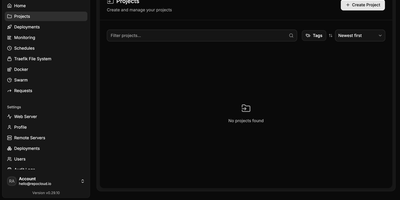
Your own Heroku or Vercel on a dedicated server — Dokploy is the open-source PaaS that replaces cloud platform subscriptions with a single dashboard you control. Point it at a Git repository or a Docker image, and it builds and deploys the application using Dockerfiles, Nixpacks, or Heroku/Paketo buildpacks. Traefik handles reverse proxying, routing, load balancing, automatic Let's Encrypt SSL, and HTTP/3. Databases — MySQL, PostgreSQL, MongoDB, MariaDB, libsql, and Redis — provision from the UI with automated backups to any S3-compatible destination. Complex multi-service applications deploy through native Docker Compose support, and multi-node scaling uses Docker Swarm. The web dashboard covers environment variables, volumes, resource limits, real-time CPU/memory/network monitoring, and deployment logs, with a CLI and REST API for automation. Deploy notifications go to Slack, Discord, Telegram, or email. One-click templates install common open-source tools, and a single control plane can manage deployments across multiple remote servers. Because everything is standard Docker, there is no lock-in: Dockerfiles, Compose files, and data volumes work anywhere else Docker runs. The push-to-deploy workflow of a $20/seat cloud PaaS, running on a dedicated VPS with guaranteed CPU, RAM, SSD, and full root access — no per-app, per-environment, or per-seat fees regardless of how many applications you deploy. 26,000+ GitHub stars.
Coolify VPS
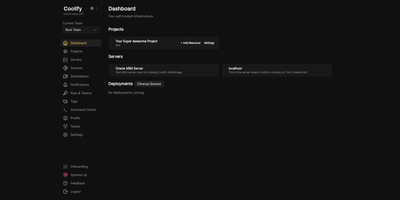
The open-source PaaS with 55,000+ GitHub stars and the largest one-click service catalog in its class — Coolify gives you the Vercel push-to-deploy workflow on a dedicated server you control. Connect a GitHub, GitLab, Bitbucket, or Gitea repository and every push builds and deploys automatically via Nixpacks, a Dockerfile, or Docker Compose, with Traefik or Caddy reverse proxying, automatic Let's Encrypt certificates, and per-branch preview deployments with their own URLs. Databases — PostgreSQL, MySQL, MariaDB, MongoDB, Redis — provision in a few clicks, and a catalog of 280+ one-click service templates covers WordPress, n8n, Grafana, MinIO, Plausible, Ollama, and more. One dashboard manages the entire server, with Docker Swarm available for clustering multiple nodes. Backups go to any S3-compatible storage with one-click restore, and a full API supports CI/CD integration. All configuration lives on your own server, so resources keep running even if you stop using Coolify — no vendor lock-in by design. Running on a dedicated VPS with guaranteed CPU, RAM, and SSD, full root access via SSH and browser console. Apache 2.0 licensed.
Dagger
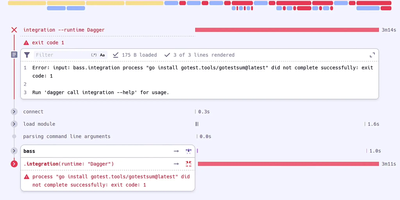
With 16,100 GitHub stars and created by Solomon Hykes (co-founder of Docker), Dagger eliminates proprietary YAML DSLs from CI/CD by letting developers write pipelines as real programs in their preferred language — then executing them identically on a laptop, in GitHub Actions, in GitLab CI, or on any machine with a container runtime. The BuildKit-based Dagger Engine runs every pipeline operation inside OCI containers, constructing a directed acyclic graph where each node is cached by default, parallelized automatically, and produces bit-for-bit reproducible outputs regardless of execution environment. Native SDKs generated from the GraphQL API schema provide Go, Python, TypeScript, PHP, Java, .NET, Elixir, and Rust developers with full type safety, IDE autocomplete, and the ability to unit-test CI pipelines using the same testing frameworks as application code. The module ecosystem enables cross-language composition where a Python team can invoke a Go team's build functions without learning Go, while filesystems, secrets, git repositories, and network tunnels are passed between functions as strongly-typed objects. Pipeline operations cache at container-layer granularity with content-addressed deduplication, and the interactive REPL enables step-by-step pipeline debugging with live container inspection. Host dependencies are explicit and strictly typed, eliminating implicit environment coupling that causes "works on my machine" failures. Running on a dedicated VPS on RepoCloud with guaranteed CPU, RAM, and SSD, full root SSH access, and a browser serial console. Apache 2.0 licensed.
Neko
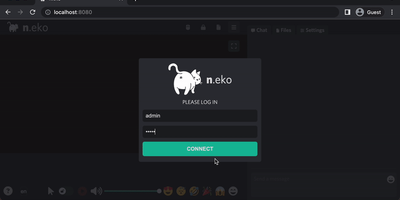
With over 21,000 GitHub stars and six years of steady development through version 3.1.0, Neko transforms any Docker container into a fully interactive browser or desktop environment streamed to web browsers via WebRTC with sub-300-millisecond glass-to-glass latency. The Go backend captures X server display frames using the Pion WebRTC library while the Vue.js frontend renders the remote session with native audio synchronization, delivering a significantly smoother experience than Apache Guacamole or noVNC which rely on image-over-WebSocket approaches. Multiple users simultaneously view and collaboratively control the same session with real-time input synchronization and host-managed control passing between participants. Pre-built Docker images cover Firefox, Chromium, Google Chrome, Tor Browser, Brave, Vivaldi, and Microsoft Edge alongside full desktop environments including XFCE and KDE for running any Linux application. Neko Rooms provides multi-tenant deployment with a REST API for programmatic room provisioning, while Neko Apps extends the platform with additional containerized applications beyond browsers. Sessions persist on the server independently of client connections — close your laptop, reconnect from your phone, and resume exactly where you left off. Optional VPN and Tor integration routes traffic through encrypted tunnels for privacy-sensitive browsing. RTMP broadcasting streams sessions to external platforms. The embeddable client supports iframe integration for custom portals and applications. Running on a dedicated VPS on RepoCloud with guaranteed CPU, RAM, and SSD, full root SSH access, and a browser serial console. Apache-2.0 licensed.
Openship
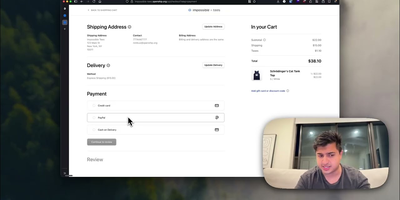
Point Openship at a GitHub repo, local folder, or prebuilt artifact and it detects your stack, builds a Docker container, provisions databases, configures domains with automatic Let's Encrypt TLS, and routes traffic through an OpenResty edge layer on ports 80 and 443. Already past 10,000 stars since launching in March 2026, it turns any Linux VPS into a managed application host. Language support covers Node.js, Python, Go, Rust, PHP, Ruby, Java, .NET, Docker, and monorepo projects with push-to-deploy CI/CD, pull request preview environments on unique subdomains, staging/production flows, and one-click rollbacks. Integrated backend services include managed Postgres, MySQL, MongoDB, Redis, persistent volumes, WebSocket proxying, object storage, and worker processes, all provisioned from the dashboard without compose files. A built-in SMTP server handles transactional email with automatic DKIM, SPF, and DMARC configuration, eliminating external email services. The edge layer serves HTTP/3 with Brotli compression, configurable cache rules, and instant purging. Real-time monitoring streams build logs, container metrics, visitor geography, and per-status-code analytics at 1.4 microsecond overhead with zero database writes. Scheduled backups cover databases and volumes with one-click restore and export. Three interfaces (web dashboard, desktop app for macOS/Windows/Linux, and the openship CLI) drive the same API, plus a Model Context Protocol endpoint for AI integration. Running on a dedicated VPS on RepoCloud with guaranteed CPU, RAM, and SSD, full root SSH access, and a browser serial console. Apache 2.0 licensed.
nextDash
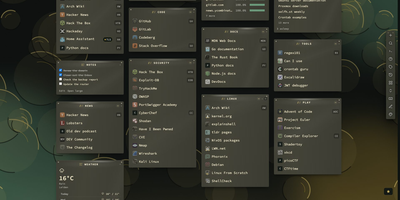
A bookmark bar that also knows if your homelab is on fire is the pitch behind nextDash. Links live on pages and categories with tags, notes, an inbox for unsorted finds, and one search panel for bookmarks, commands, and containers. Mark any link as Monitor and the server checks it every few minutes, keeping 30 days of uptime, certificate and domain expiry dates, and drift warnings, with alerts to ntfy, Slack, Discord, Telegram, Gotify, Apprise, or a phone push. A Containers view lists every Docker container with logs, start, stop, and update with automatic rollback, each matched to its bookmark. Dashboard widgets cover weather, feeds, CPU, memory, disks, Unraid, Jellyfin, Plex, Sonarr, Radarr, qBittorrent, and Home Assistant. A theme studio offers 390 themes and 267 backdrops in six languages, and an optional assistant answers in plain words when you switch it on. Imports arrive from every browser, Pocket, Raindrop, and linkding, and automatic backups with a 30-day trash protect the collection. The weekly digest sums up broken links, expiring certificates, and pending container updates. Running on a dedicated VPS on RepoCloud with guaranteed CPU, RAM, and SSD, full root SSH access, and a browser serial console. MIT licensed.
Mailcow
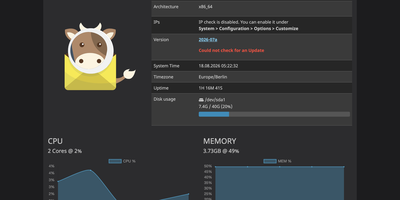
With over 13,000 GitHub stars and active monthly releases, Mailcow delivers a production-ready mail server infrastructure through Docker Compose orchestration of twelve integrated containers. The stack pairs Postfix as the MTA handling SMTP traffic with Dovecot for IMAP and POP3 retrieval featuring the Flatcurve full-text search engine, while Rspamd provides machine-learning-powered spam filtering with Bayesian classification, DKIM signing, and ARC support. ClamAV scans attachments for malware including Office document macro analysis via Olefy, and SOGo serves as a responsive webmail client with CalDAV, CardDAV, and Microsoft ActiveSync synchronization. The admin panel manages multiple domains, per-user spam score thresholds, quarantine review, black and whitelists, temporary spam aliases, mailbox quotas, and TLS enforcement policies for both inbound and outbound messages. Security features include two-factor authentication via TOTP, WebAuthn, and Yubikey OTP, a Fail2ban-like Netfilter integration for brute-force protection, and automatic SPF, DKIM, and DMARC configuration. The ACME container handles Let's Encrypt certificate generation with DNS-01 challenge support, while Postfix TLS-Pol provides MTA-STS and DANE/TLSA resolution for encrypted transport. Built-in imapsync enables periodic migration from remote mailboxes, and the REST API allows programmatic management of all server resources. MariaDB stores user data, Redis caches configuration and sessions, and Unbound provides local DNSSEC-validating DNS resolution. Running on a dedicated VPS on RepoCloud with guaranteed CPU, RAM, and SSD, full root SSH access, and a browser serial console. GPL-3.0 licensed.
Nexus Repository
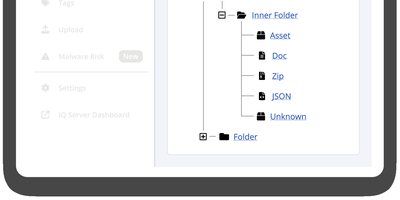
Trusted by millions of developers and integrated into CI/CD pipelines at organizations worldwide, Sonatype Nexus Repository is the industry-standard binary artifact repository manager that stores, organizes, and distributes software components across every major package ecosystem. Community Edition supports over 20 formats including Maven for Java builds, npm for JavaScript packages, Docker for container images, PyPI for Python libraries, NuGet for .NET assemblies, Helm for Kubernetes charts, Go modules, RubyGems, Cargo for Rust crates, Conda for data science environments, APT for Debian packages, Yum for RPM distributions, and Hugging Face for AI/ML models. Three repository types serve different needs: hosted repositories store internally-produced artifacts, proxy repositories cache remote registries like Maven Central, npmjs.org, and Docker Hub reducing bandwidth and improving build reliability, and group repositories aggregate multiple hosted and proxy repositories behind a single URL endpoint. The web UI provides component browsing and search, repository configuration, blob store management with configurable cleanup policies, and direct artifact upload via drag-and-drop. Role-based access control enforces fine-grained permissions per repository with configurable security realms, while the comprehensive REST API enables automated repository provisioning, component management, and integration with Jenkins, GitHub Actions, GitLab CI, and Azure DevOps. External PostgreSQL database support enables Kubernetes deployments with improved backup, restore, and horizontal scaling capabilities. Running on a dedicated VPS on RepoCloud with guaranteed CPU, RAM, and SSD, full root SSH access, and a browser serial console. Eclipse Public License 1.0 licensed.
Torollo
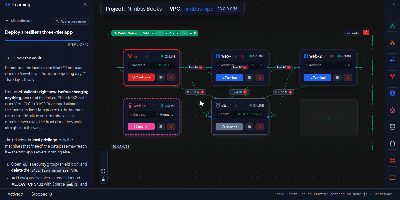
Torollo is a hands-on backend engineering lab where the architecture you draw becomes real infrastructure, so a load balancer on the canvas is an actual Nginx container and a firewall rule you sketch is enforced by iptables. Place Ubuntu servers, PostgreSQL, MongoDB, Redis, and RabbitMQ nodes, wire them into VPCs and subnets, then watch the traffic simulator send requests through the topology you built. Guided roadmaps walk you from a single web server to a resilient three-tier application, a cache-aside Redis design, and a worker queue, grading every step against the live system instead of your intentions. Validators probe container status, SQL schemas, Redis keys, network reachability, and HTTP responses, and a failed check explains exactly what was expected versus what your containers actually did. Built-in explorers let you run SQL against Postgres, query MongoDB collections, and issue Redis commands, while browser terminals give you a shell inside any node. Roadmaps are plain JSON files you can import or author yourself, progress is tracked per step with hints and solutions, and the whole catalogue is available in English and French. Running on a dedicated VPS on RepoCloud with guaranteed CPU, RAM, and SSD, full root SSH access, and a browser serial console. MIT licensed.
Cup
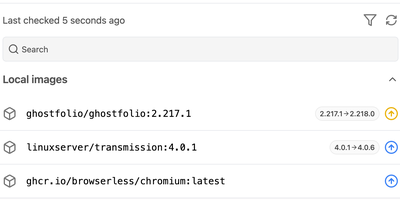
A fast, read-only radar for outdated Docker images. Cup reads the images behind your running Docker or Podman containers, asks each registry whether a newer digest or tag exists, and flags every result as a major, minor, or patch bump, a plain digest change, or up to date. Docker Hub, ghcr.io, Quay, lscr.io, and Gitea-style registries are supported, private ones through token authentication, and checks are designed not to exhaust registry rate limits. The browser dashboard on port 8000 counts monitored, outdated, up-to-date, and unknown images, adds search and filters, and opens any image to show its update type, check time, and a copyable pull command. Prefer automation? Schedule refreshes with a cron expression, trigger one through the API, or run the cup check command from a cronjob for table or JSON output. Rules in cup.json exclude images, ignore registries, and skip chosen update types, even per image. The JSON API feeds Homepage widgets, Home Assistant, and custom dashboards, one dashboard can aggregate several Cup servers, and agent mode serves the API without the interface. Cup only reports, so deciding when to update stays with you. Running on a dedicated VPS on RepoCloud with guaranteed CPU, RAM, and SSD, full root SSH access, and a browser serial console. AGPL-3.0 licensed.
KPanel
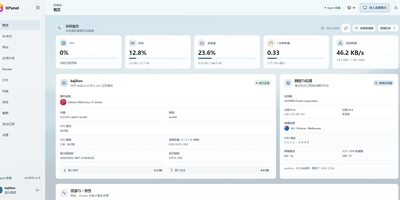
You run one server today and three by next quarter, and each one deserves the same workbench. KPanel is an open-source Linux server management panel with a desktop-style workspace, a classic sidebar mode, multi-host management, and an AI assistant. Open the overview. CPU, memory, disk, load, network, and processes update live, and historical charts answer what happened last night. Sites already on the machine stay where they are. You manage their real Nginx configuration, certificates, reverse proxies, load balancing, and PHP or static stacks in place. Docker gets the same treatment. Containers, images, volumes, logs, and Compose projects are all editable from the panel, and the app market shows real install state. Files and terminals follow you across hosts. Browse one machine, edit on another, run a quick command everywhere, or copy a directory between authorized panels. Lightweight nodes join without Docker. The fleet appears as a list, as cards, or on a globe with latency and service checks, and a public read-only page can show status to anyone who needs it. The assistant reads the state the panel already holds. It answers through fixed tools, asks before acting, and always asks before anything risky. Running on a dedicated VPS on RepoCloud with guaranteed CPU, RAM, and SSD, full root SSH access, and a browser serial console. AGPL-3.0 licensed.
Mailu
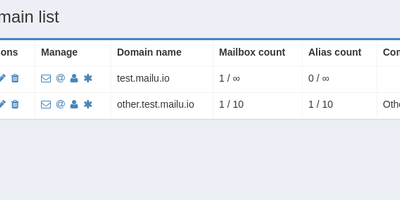
With over 7,100 GitHub stars and 200 contributors since 2016, Mailu has become one of the most popular self-hosted email solutions, delivering a complete production-ready mail server stack as pre-configured Docker containers that eliminate weeks of manual setup. The platform bundles Postfix for SMTP and Submission with auto-configuration profiles for Thunderbird, Outlook, and mobile clients, Dovecot for IMAP and POP3 with full-text search across email attachments, Rspamd for intelligent spam filtering with auto-learn Bayesian classification, greylisting, SPF and DMARC validation, and ClamAV for antivirus scanning of attachments with configurable malicious file blocking. The web administration interface provides global admin controls, per-domain delegation, user quota management, domain aliases, custom routing rules, and announcement capabilities. Users access self-service features including aliases, auto-reply, auto-forward, fetched accounts from external mailboxes via fetchmail, and Sieve filter management through ManageSieve. Security features include enforced TLS on all connections, automatic Let's Encrypt certificate provisioning, outgoing DKIM signing, DANE and MTA-STS support for transport security, and Snuffleupagus PHP hardening for the web interface. The setup wizard at setup.mailu.io generates complete Docker Compose configurations tailored to specific deployment requirements. All components are free and open-source software with zero proprietary dependencies and no tracking. Running on a dedicated VPS on RepoCloud with guaranteed CPU, RAM, and SSD, full root SSH access, and a browser serial console. MIT licensed.
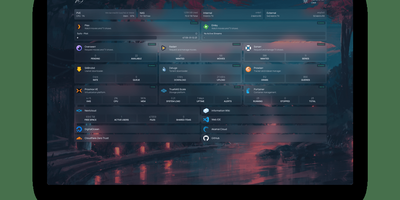
Homepage
With over 31,000 GitHub stars and 430 contributors, Homepage has become the definitive self-hosted dashboard for homelab enthusiasts and server administrators who want a single, elegant landing page for all their services. The dashboard renders as a fully static site at build time for instant page loads, while a Node.js backend securely proxies all API requests to prevent exposing service credentials to the browser. Docker integration automatically discovers running containers through label-based configuration, populating the dashboard with service status indicators, health checks, and real-time statistics without manual URL entry. Over 100 native service widgets display live data from popular applications including Plex, Jellyfin, Radarr, Sonarr, Home Assistant, Pi-hole, Portainer, Proxmox, Nextcloud, Gitea, and dozens more, each showing relevant metrics like active streams, download queues, or system health directly on the dashboard. Information widgets provide weather forecasts, system resource utilization, search bars, and date/time displays. The layout system supports multiple columns, tabs, and custom CSS for pixel-perfect arrangement of service groups and bookmarks. Built-in authentication options include OIDC integration and password protection. Quick search functionality enables instant access to bookmarks and services with keyboard shortcuts. Internationalization covers 40+ languages with community-maintained translations. Configuration lives entirely in YAML files for version-controlled, reproducible dashboard setups. Deploy on a dedicated VPS on RepoCloud with guaranteed CPU, RAM, and SSD, full root SSH access, and a browser serial console for complete control. GPL-3.0 licensed with an active community and bi-weekly releases.
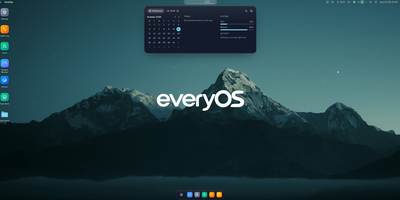
EveryOS
EveryOS gives the Linux server you already own a desktop it never had: open a browser and your machine greets you with windows you can move, snap, and stack, a dock, virtual desktops, widgets, and a launcher, all remembering exactly how you left them. Your files live in a private home with the usual folders, previews, a text editor, and a trash you can restore from, and plugging in a USB disk makes it appear on the desktop ready to mount. An app store installs self-hosted applications from catalogs and follows each deployment, later offering updates that keep your settings, rollbacks when one goes wrong, and backups of app data. The same workspace watches the machine itself: CPU, memory, disk, and network at a glance, systemd services and logs, available package updates, and a Docker view for containers and Compose projects. A real terminal opens in the browser under your own Linux account, Home Assistant arrives as a panel and desktop widgets with its tokens kept on the server, and an AI assistants app can find or install a local model server such as Ollama and chat with it privately. Running on a dedicated VPS on RepoCloud with guaranteed CPU, RAM, and SSD, full root SSH access, and a browser serial console. MIT licensed.
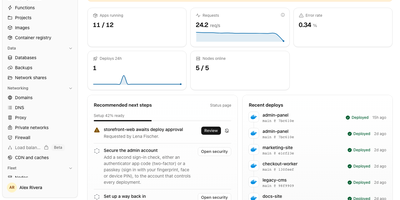
Levelrail
Push to git, watch the deploy go live over HTTPS, and roll back in one click, all on servers you own: Levelrail is a self-hosted platform for running apps and databases without Kubernetes. Deploys start from GitHub, GitLab, Bitbucket, or Gitea webhooks and build from a Dockerfile, Compose file, image, or framework preset such as Next.js, Go, React, or Spring Boot, with preview environments per pull request, canary and blue-green rollouts, approvals, and freezes. Embedded Caddy gives every app a domain with HTTPS: self-signed by default, Let's Encrypt with one toggle, a free sslip.io address when no domain exists, or your own uploaded certificate. Provision Postgres, MySQL, MariaDB, MongoDB, Redis, ClickHouse, and more with scheduled backups that are re-downloaded and verified, Postgres point-in-time recovery, and password rotation. Metrics with deploy markers, searchable live logs, alerts, and a public status page need no separate monitoring stack. Roughly 360 one-click templates and a Cmd+K search across apps, databases, and nodes speed up daily work. Extra servers enroll with a one-time token and a reverse-dialed agent that needs no inbound ports. Sign in with passkeys, TOTP, OAuth from 20 providers, or OIDC, then scope access with IAM policies, encrypted secrets, and a tamper-evident audit log. A CLI, HTTP API, and MCP server let scripts and coding agents deploy and roll back. Running on a dedicated VPS on RepoCloud with guaranteed CPU, RAM, and SSD, full root SSH access, and a browser serial console. Apache-2.0 licensed.
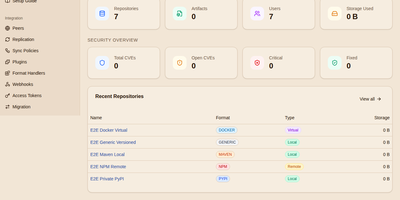
Artifact Keeper
Artifact Keeper serves as a self-hosted universal software artifact repository that consolidates container images, application libraries, and infrastructure bundles under a unified management control plane. Software development teams can publish and resolve dependencies using their existing build tools, including Docker, Helm, npm, PyPI, Maven, Cargo, NuGet, and Terraform without installing proprietary client plugins. Remote repositories act as transparent pull-through caching proxies for public upstreams like Docker Hub and PyPI, accelerating internal CI/CD build speeds while insulating production pipelines from external registry outages. Virtual repositories combine multiple local, remote, and third-party endpoints into single URLs, resolving packages across prioritized internal teams and public registries automatically. Automated security scanners evaluate incoming packages for Common Vulnerabilities and Exposures using Trivy and Grype engines, assigning letter grades and enforcing quarantine policies to block vulnerable binaries before production release. Administrators can sign package metadata with cryptographic GPG keys, configure peer mesh replication across geographic regions, and manage team permissions using OpenID Connect, SAML, and granular access tokens. Running on a dedicated VPS on RepoCloud with guaranteed CPU, RAM, and SSD, full root SSH access, and a browser serial console. MIT licensed.
Dockhand
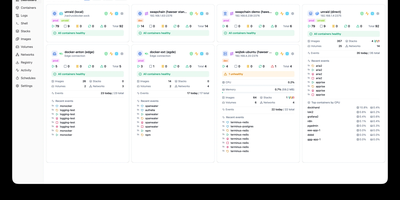
Dockhand is a Docker management platforms, offering a modern alternative to Portainer with free OIDC SSO and vulnerability scanning that competitors gate behind paid tiers. Real-time container management provides start, stop, restart, and remove operations with live resource monitoring across CPU, memory, and network usage on a dashboard with real-time metrics. The visual Docker Compose editor enables stack creation and modification with syntax highlighting, while Git integration deploys stacks directly from repositories with webhooks and auto-sync for GitOps workflows. Vulnerability scanning powered by Grype and Trivy analyzes container images against CVE databases, with configurable auto-update scheduling that can trigger updates based on vulnerability severity criteria. The Hawser Go agent enables management of remote Docker hosts in Standard mode for LAN environments or Edge mode using outbound WebSocket connections for hosts behind NAT, firewalls, or dynamic IPs without exposing inbound ports. Interactive terminal sessions provide shell access into running containers, while the file browser enables uploading, downloading, and editing files directly within containers. Image management includes registry browsing, pull operations, and layer inspection alongside network and volume administration. The security-focused architecture builds its own OS layer from scratch using Wolfi packages via apko with every package explicitly declared. Running on a dedicated VPS on RepoCloud with guaranteed CPU, RAM, and SSD, full root SSH access, and a browser serial console. BSL 1.1 licensed, converting to Apache 2.0 in 2029.
ServerKit
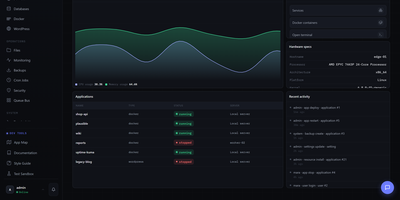
ServerKit delivers a server control panel that fits on a small VPS while managing everything from Docker containers to mail servers. The Python/Flask backend exposes 1,519 REST endpoints across 107 blueprints with full OpenAPI documentation at /api/v1/docs, while the React frontend spans 65 screens in a 1.75MB gzipped bundle served entirely from your own infrastructure. Docker management includes full container lifecycle control, Docker Compose project orchestration, real-time log streaming, and terminal access. Database panels cover MySQL/MariaDB and PostgreSQL with user management, browser-based query consoles, and automated backups to S3, Backblaze B2, or local storage. Nginx virtual host management automates Let's Encrypt certificate provisioning with hardened TLS 1.2+ configurations and Cloudflare-aware setups. The Go-based cross-platform agent enables multi-server fleet management with HMAC-SHA256 authentication over a WebSocket gateway, supporting Linux, Windows, and macOS across amd64 and ARM64 architectures. Fleet monitoring provides cross-server heatmaps, metric comparison charts, alert thresholds, anomaly detection, and capacity forecasting. A built-in marketplace distributes 106 one-click application templates using a declarative YAML schema with Docker Compose stacks. The extension system allows community plugins for Kubernetes management, Redis browsers, and WordPress site orchestration. Running on a dedicated VPS on RepoCloud with guaranteed CPU, RAM, and SSD, full root SSH access, and a browser serial console. MIT licensed.